
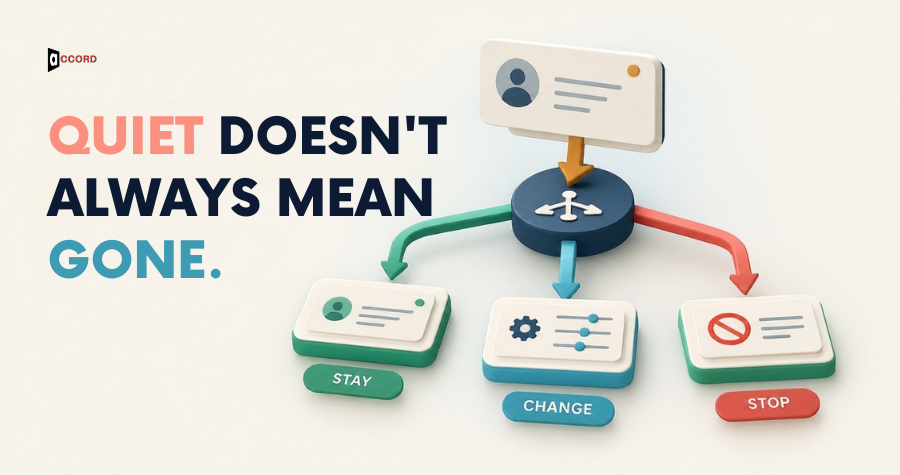
B2B re-engagement emails should help eligible subscribers decide whether your content is still useful. Define inactivity using the relationship and reliable behavior, separate stale addresses from simply quiet readers, and offer a clear preference or exit path. Set a stopping rule before sending, and do not reactivate people who previously opted out.
A quiet contact is not always a lost opportunity. They may still value the newsletter but have no current project. They may have changed roles, receive too many messages, or no longer remember subscribing. Those situations call for different decisions.
Re-engagement is therefore a list-management and relevance exercise before it is a copywriting exercise. The team needs to understand who is eligible, what relationship exists, and what a meaningful response would look like.
This guide concerns permission-based B2B marketing audiences. A purchased contact list or an old cold-outreach file needs separate evaluation; it should not be relabeled as a subscriber re-engagement audience.
Define inactivity in the context of the relationship
Choose an inactivity definition that reflects the content and audience. A monthly educational newsletter has a different rhythm from a weekly event series or a short product-onboarding sequence.
Look beyond one isolated metric. A subscriber may not click every message but may respond directly or interact through an account team. Conversely, a recorded interaction may not mean a person is actively considering the offer.
Use an agreed observation period and document it as an internal rule. Do not present a chosen period as a universal industry standard.
Separate engagement inactivity from address age. A recently subscribed person who has not clicked yet is different from a record that has not been used for years and lacks a clear acquisition history.
The working definition should make the next decision easier: continue relevant communication, ask about preferences, investigate data quality, or stop marketing contact.
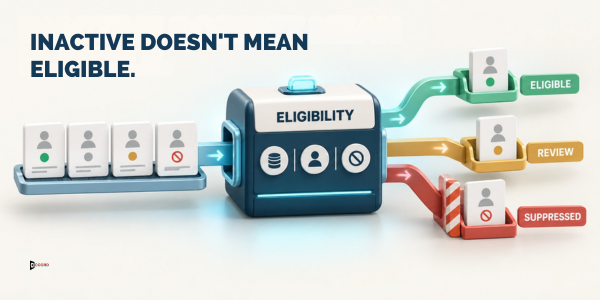
Confirm that the audience is eligible
Review subscription source, status, restrictions, and the purpose for which the address was collected. If the team cannot explain the relationship, pause before including the record in a re-engagement send.
Do not send marketing to previously unsubscribed contacts in an attempt to win them back. Preserve suppression information through imports, platform changes, and CRM merges.
Mailchimp's guidance on inactive and stale addresses distinguishes engagement concerns from risks associated with stale audience data. Consult the rules of the platform you actually use before attempting a re-engagement program.
Consider whether a customer relationship and a marketing subscription are represented separately. A customer may still need service communications while declining promotional messages. The eligibility logic should respect that distinction.
Where the applicable basis is unclear, involve the person responsible for privacy and messaging policy. A campaign deadline does not resolve missing evidence about how an address entered the list.
Separate the audience into useful groups
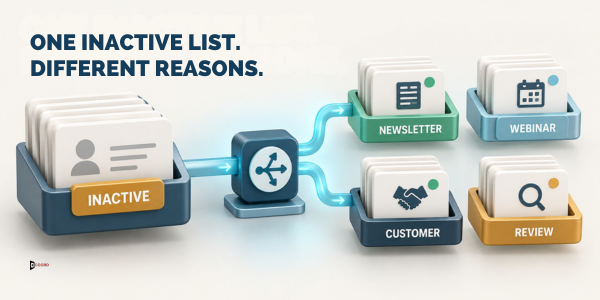
A single "inactive" segment can contain several different problems. Group eligible contacts by relationship, acquisition source, content interest, and the reason they appear inactive.
For example, former webinar subscribers may need a different message from long-standing newsletter readers. Customers with an active support issue may need account-team attention rather than a generic marketing reminder.
Keep the groups small in number and meaningful. Creating dozens of narrow segments can exceed the team's ability to write distinct, useful messages.
Use email segmentation and campaign planning to connect each group to a clear purpose. The question is not simply who has been quiet, but what useful choice the email can offer them now.
Document exclusions alongside inclusions. The segment definition should make it easy to see why someone is deliberately absent from the campaign.
Offer a reason to stay that matches the subscription
A re-engagement email should remind the reader what they can expect and make the value concrete. Use the subject matter they subscribed to rather than an unrelated offer chosen because the marketing team wants to promote it.
For an operations newsletter, a useful message might describe upcoming process guides and let the reader choose relevant topics. For an event audience, it might offer the next session schedule or a lower-frequency digest.
Avoid emotional pressure. The reader does not owe the business attention, and a guilt-based message rarely clarifies whether the content remains useful.
Do not disguise a promotion as an account warning. The sender identity, subject, and body should make the purpose clear.
Keep the request modest. A topic preference or confirmation of continued interest may be more appropriate than asking an inactive subscriber to book a sales call.
Design the preference path before writing the email
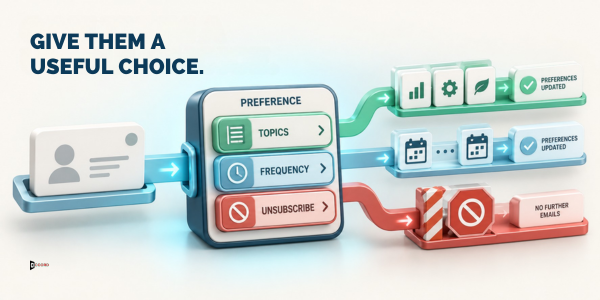
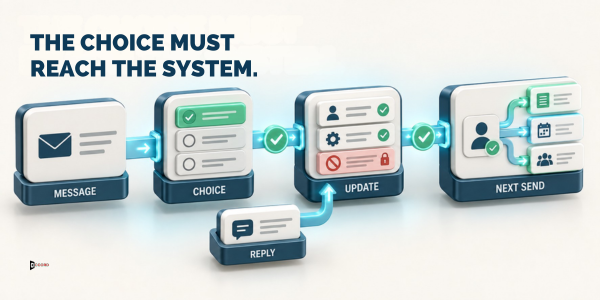
The email's promise must lead to a functioning destination. If readers can change frequency, confirm that the preference actually changes the sending rules. If they choose topics, make sure those choices affect future content.
Keep the form concise and understandable. Avoid requiring unnecessary personal information merely to reduce email frequency or stop contact.
Test the difference between preferences and unsubscribe. A topic change should not accidentally resubscribe someone to every category, and an unsubscribe should not depend on completing an optional survey.
Explain what happens after the choice. A clear confirmation helps the reader know whether the request worked and what messages, if any, remain.
When the preference experience needs development work, coordinate it with the website and form workflow. An attractive email cannot compensate for a broken destination.
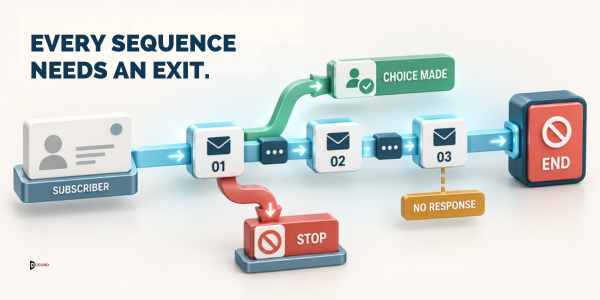
Set the sequence and stopping rule together
Decide the maximum number of attempts, spacing, exit conditions, and final treatment before the first message. These are project choices that should reflect the audience relationship and platform constraints.
A stopping rule might remove nonresponders from regular marketing after the planned sequence, while preserving the historical record and restrictions required by the business. The exact action depends on the system and policy.
Make exits immediate when the reader expresses a preference or opts out. A person who has already made a choice should not continue receiving reminders asking for the same decision.
Avoid resetting the sequence whenever a small automated signal appears. The exit condition should reflect the behavior you intended to measure.
Keep a record of the rule and the campaign version. Without that history, a later team may unknowingly restart the same re-engagement cycle for the same people.
Choose measurements that reflect the decision
Define success as an appropriate audience outcome. Useful measures can include confirmed preferences, relevant replies, continued eligible subscriptions, completed unsubscribes, and records removed from regular sending.
A smaller but more clearly defined audience can be a good result. Do not judge the campaign solely by how many contacts remain in the database.
Use platform engagement data with its documented limitations. Avoid treating an isolated open or click as proof of business interest, especially when the next step requires a human decision.
Review the quality of responses. If readers repeatedly say they do not recognize the sender, investigate acquisition history and expectations before improving the subject line.
Keep commercial outcomes separate. A preference confirmation is not a qualified lead. If a reader requests a sales conversation, record that distinct action and hand it to the appropriate owner.
Work through a hypothetical newsletter example
Imagine a B2B consultancy with an educational newsletter covering reporting processes. Some eligible subscribers joined through a webinar, while others selected the newsletter on the website.
The team finds that the webinar group has received several general updates but little content about the original session topic. It prepares a message offering a reporting-focused digest and a clear unsubscribe option.
The website group receives a different choice between monthly practical guides and occasional research summaries. Both destinations update the same preference system, with exclusions tested before launch.
After the planned sequence, the team applies its documented stopping rule to eligible nonresponders. It reviews the reasons given by readers who leave and uses those comments to improve subscription expectations.
This scenario is illustrative. It does not imply a recommended response rate, a tested Accord sequence, or permission to send to addresses with unclear status.
Check the technical path end to end
Test the message in the sending platform, the destination page, the preference update, and the next campaign's audience rules. A successful form submission should produce the intended system state.
Use representative test records: an active subscriber, a topic-limited subscriber, an unsubscribed record, a customer with separate service communications, and a record missing required history.
Check that links contain no unnecessary personal information and that the destination works on mobile. Confirm error messages explain what the user can do next.
Test repeated submissions. A reader who clicks twice should not receive contradictory confirmations or duplicate enrollment.
Review the sender and reply address. People may respond with a question instead of using the preference page. The team needs a monitored route to handle those requests consistently.
Coordinate marketing and account teams
An inactive marketing subscriber may still be an active customer contact. Before sending a generic reminder, consider whether the account team has relevant context or a reason to exclude the person.
Share the campaign purpose and timing with teams that handle customer relationships. They should know what readers may receive and how to process replies.
Do not ask account managers to override an unsubscribe because a commercial relationship exists. The relationship may require service messages, but it does not erase the person's marketing preferences.
Keep direct feedback useful and limited. An account note saying "prefers quarterly technical updates" can inform the program if recorded appropriately. Personal speculation about why someone is quiet should not guide targeting.
Assign responsibility for reconciling conflicting system states. Marketing and CRM records should not repeatedly undo each other's corrections.
Before launch, agree how a manual reply changes the record. A subscriber may write, "Only send research summaries," without using the form. The inbox owner needs a defined way to apply that preference and confirm it. Otherwise, the email channel and the preference page can produce different outcomes for the same request.
Keep that manual action traceable. Record the request, the change made, and the responsible person without copying unnecessary personal information into a shared report. This helps later reviewers distinguish a deliberate preference from an accidental field edit.
Decide what to change after the campaign
Review the audience's choices alongside acquisition sources and content expectations. If a particular source produces repeated confusion, improve the subscription language at that source.
If readers choose a narrower topic, adjust the editorial plan only when the team can sustain that promise. Offering preferences that are ignored creates another relevance problem.
Check whether the campaign exposed data issues: missing source records, conflicting subscription fields, or integrations that reactivate suppressed contacts. Fix those issues before repeating the exercise.
Preserve a clear distinction between archived, suppressed, and deleted records according to your platform and policy. These actions can have different consequences for history and future imports.
Schedule the next review based on the normal communication cycle. Re-engagement should be part of responsible audience maintenance, not a recurring excuse to contact the same unresponsive people.
Frequently asked questions
Can we use a re-engagement email to contact an old purchased list?
Do not assume that an old purchased list is a permission-based audience. Review the collection basis, applicable rules, and platform requirements separately. The workflow in this article applies to eligible subscribers whose relationship and restrictions can be established, not to records relabeled for convenience.
Should we remove everyone who does not open messages?
No single engagement signal should determine the whole policy without context. Consider the audience relationship, sending rhythm, other meaningful interactions, and the platform's measurement limitations. Define a documented inactivity rule and use a clear preference or stopping process for eligible contacts.
Is an unsubscribe a failed campaign outcome?
An unsubscribe can be a useful expression of preference. Processing it correctly improves the clarity of the audience and respects the reader's choice. The campaign should help people decide whether the content remains relevant, rather than treating retention of every address as the only success.
Should the email include a discount?
Only when it fits the subscription and the actual offer. A discount can distract from the more basic question of whether the reader wants the content. For many B2B educational audiences, a useful topic or frequency choice is more relevant than a commercial incentive.
What happens to nonresponders after the sequence?
Apply the stopping rule defined before launch. That may mean removing them from regular marketing while preserving necessary history and restrictions. The exact action depends on the platform and policy. Do not silently restart the sequence later without reviewing the original outcome and eligibility.
Make the next message a useful choice
Begin with eligibility and expectations, build the preference path, and define when the program ends. Then write the message around a concrete reason the reader might want to remain subscribed.
Talk with Accord Tech Solutions about an audience review using your subscription sources, current segments, and sending rules. Those inputs make a re-engagement plan more practical than starting with a subject-line template.
Methodology and sources
Original editorial guidance for permission-based audiences. Mailchimp's current inactive-address guidance supports the distinction between inactivity and stale audience data. The consultancy scenario is fictional. No universal legal basis, inactivity period, or performance benchmark is asserted.