
In the present modern age, websites need to do more than just look good. They need to be fast, responsive, and convert visitors into customers. Speed, simplicity, and flexibility are the three bases of modern web development.
Research has shown that a one-second delay can reduce conversion rates by 7%. A slow website loses credibility, traffic, and profit. In this blog, you’ll learn how to make a website fast, engaging, and boost your conversion rates.
This guide is for designers, developers, marketers, and others who want the best results.
Why Speed, Accessibility, and Conversions Work Better Together
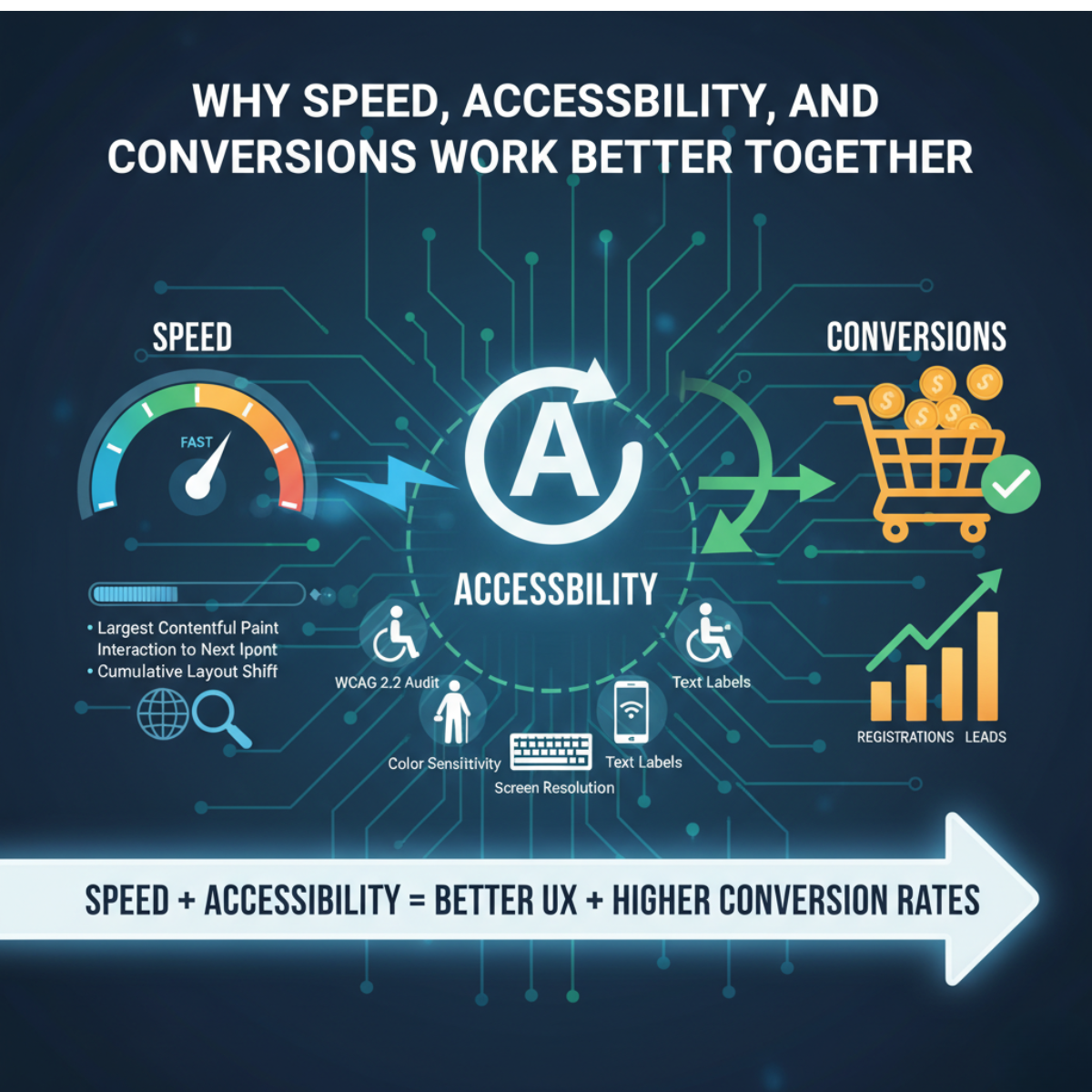
Website speed is not just a technical detail. It also helps customer engagement. Search engines reward websites that load fast with good rankings. Users spend more time, make clicks, and also trust.
A fast, easy-to-navigate website with a high-quality interface converts traffic into reliable customers. That’s why businesses now invest in a core web vitals optimization service to meet Google’s standards.
Core Web Vitals focus on three key things:
-
Largest Concertful Paint (LCP) – how fast your main content loads
-
Interaction to Next Paint (INP) – how fast your site responds
-
Cumulative Layout Shift (CLS) – how stable your layout feels
Sites that perform well in these areas rank higher and convert better.
Accessibility Is Growth, Not Just Compliance
Accessibility is often misunderstood as a legal checkbox. But in truth, it’s a growth strategy.
Web accessibility supports all users, including those with disabilities, seniors, and smartphone users with low internet access.
WCAG 2.2 accessibility audit makes sure that your website meets all requirements for global standards.
It looks at color sensitivity, keyboard layout, text labels, and screen resolution.
Accessible sites are easier to use and more trusted. They reduce bounce rates, increase engagement, and improve conversions.
Conversions as the Common Goal
Speed and accessibility come together to serve one main purpose: conversion. Every second, every click, every scroll should help the user complete a goal.
When your site loads fast and feels easy to use, trust grows naturally. Trust drives sales, registers, and potential leads. The best formula is:
Speed + Performance = Better UX + Higher conversion rates
Metrics That Matter
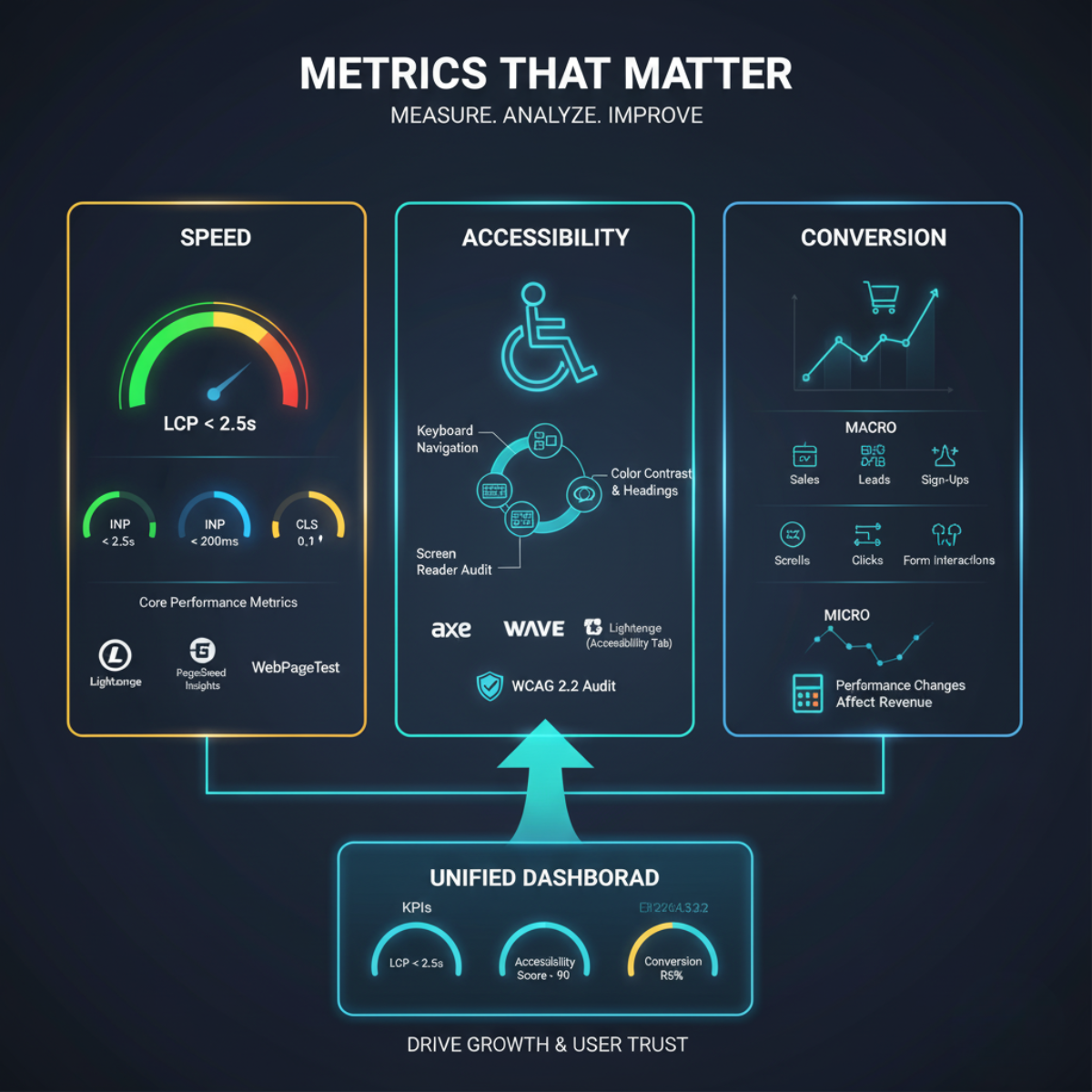
You can’t fix what you can’t measure. For any kind of change, it’s necessary to understand your website’s speed, performance, and usability.
This section discusses the basic concepts and tools of this data analysis. It teaches you how to measure results, identify risks, and set clear goals.
Core Performance Metrics (speed)
Your website will start offering a better comparison.
Consider this important fact:
-
LCP: Wait within 2.5 seconds.
-
INP: Set the interaction time to less than 200 ms.
-
CLS: Prevent layout shifts greater than 0.1.
Use tools like Lighthouse, PageSpeed Insights, or WebPageTest. If you want expert guidance, partner with a core web vitals optimization service to continuously improve these metrics.
Accessibility Metrics
Accessibility has both automated and manual checks. Use tools like Axe, WAVE, and Lighthouse’s Accessibility tab for quick scans. Then test manually:
-
Use only the keyboard for navigation.
-
Check headings and color contrast.
-
Listen with a screen reader.
A WCAG 2.2 accessibility audit gives you a full report and priority list for fixes.
It’s not just about compliance; it’s about opening your site to millions more users.
Conversion Metrics
Measure both macro conversions (sales, leads, sign-ups) and micro conversions (scrolls, clicks, and form interactions). These numbers show how users move through your site.
Tracking all three speed, accessibility, and conversions reveals how performance changes affect revenue.
Building a Unified Dashboard
Create a shared dashboard for your team. Track metrics weekly or monthly.
Example KPIs:
-
LCP < 2.5s
-
Accessibility Score > 90
-
Conversion Rate +5%
This transparency keeps everyone focused on performance goals.
Quick-Win Roadmap for Modern Website Development
Getting results fast is important. You do not need months to make your website better.
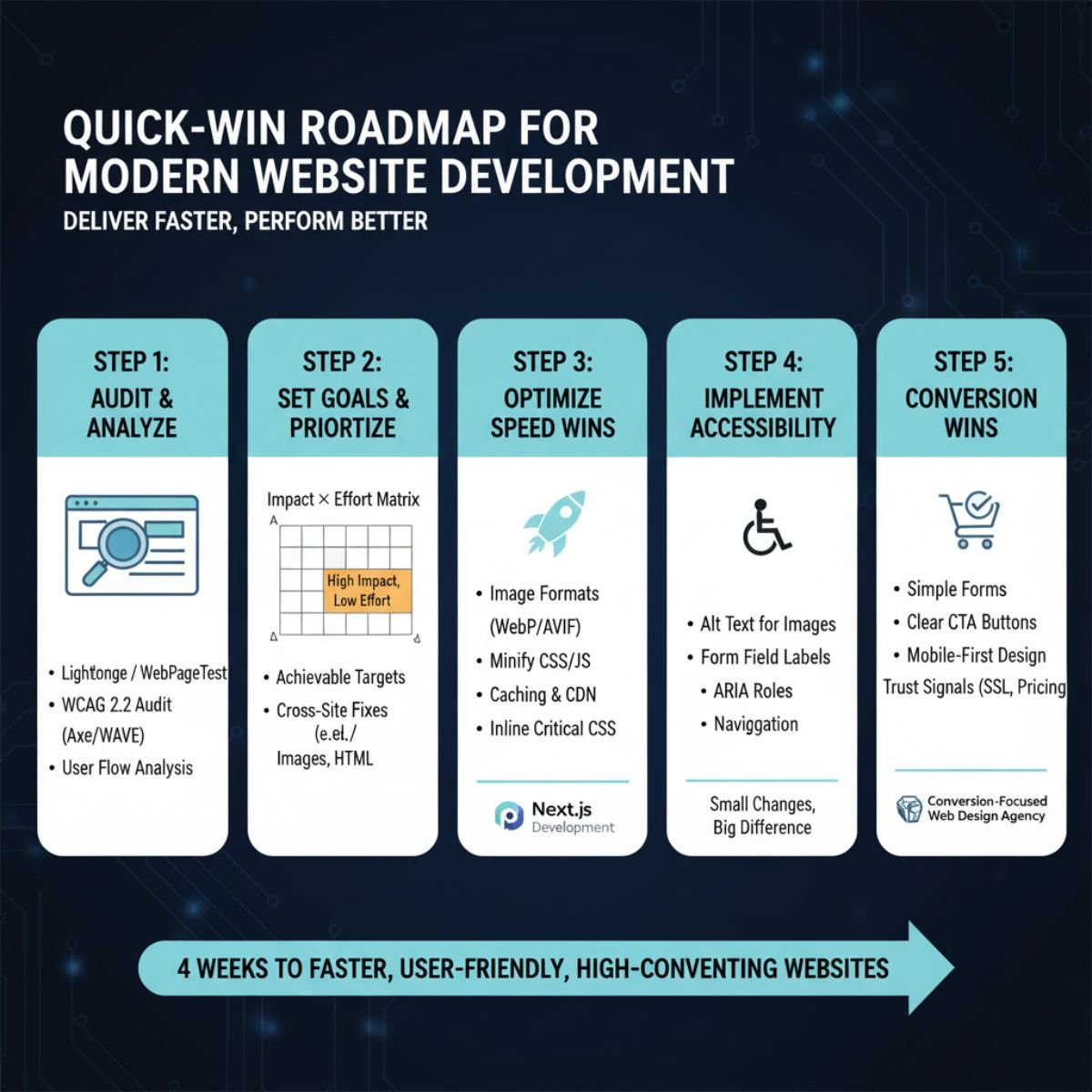
Here is the roadmap that breaks down the first four weeks into practical steps. This allows you to create high-impact fixes in speed, user-friendliness, and conversions so that your site performance delivers faster.
Step 1: Audit your website
Start with a full performance and accessibility check.
-
Run Lighthouse or WebPageTest.
-
Implement WCAG 2.2 accessibility audit using Ax or WAVE.
-
See which pages users are losing during the conversion.
Step 2: Set achievable goals.
Use the Impact × Effort matrix to determine what your priorities should be.
Focus on changes that affect all three sites equally, like optimizing images or cleaning up HTML.
Step 3: Set the success rate.
-
Import images into WebP or AVIF format.
-
Minify CSS and JavaScript.
-
Use caching and a CDN.
-
Inline critical CSS.
A Next.js website development company can help automate many of these optimizations with modern build tools.
Step 4: Implement Accessibility Wins
-
Add alt text to every image.
-
Label every form field.
-
Use ARIA roles when needed.
-
Ensure keyboard navigation works smoothly.
Also, a little change can create a large difference.
Step 5: Apply conversation wins
-
Add a form section and keep it simple.
-
Create a set of buttons.
-
Make the CTA visible and engaging, even on mobile.
-
Add authentication signals such as SSL, certificates, data sources, and clear pricing.
A conversion-focused web design agency can help you create a visitor-to-customers strategy.
Best Practices in Engineering & Infrastructure
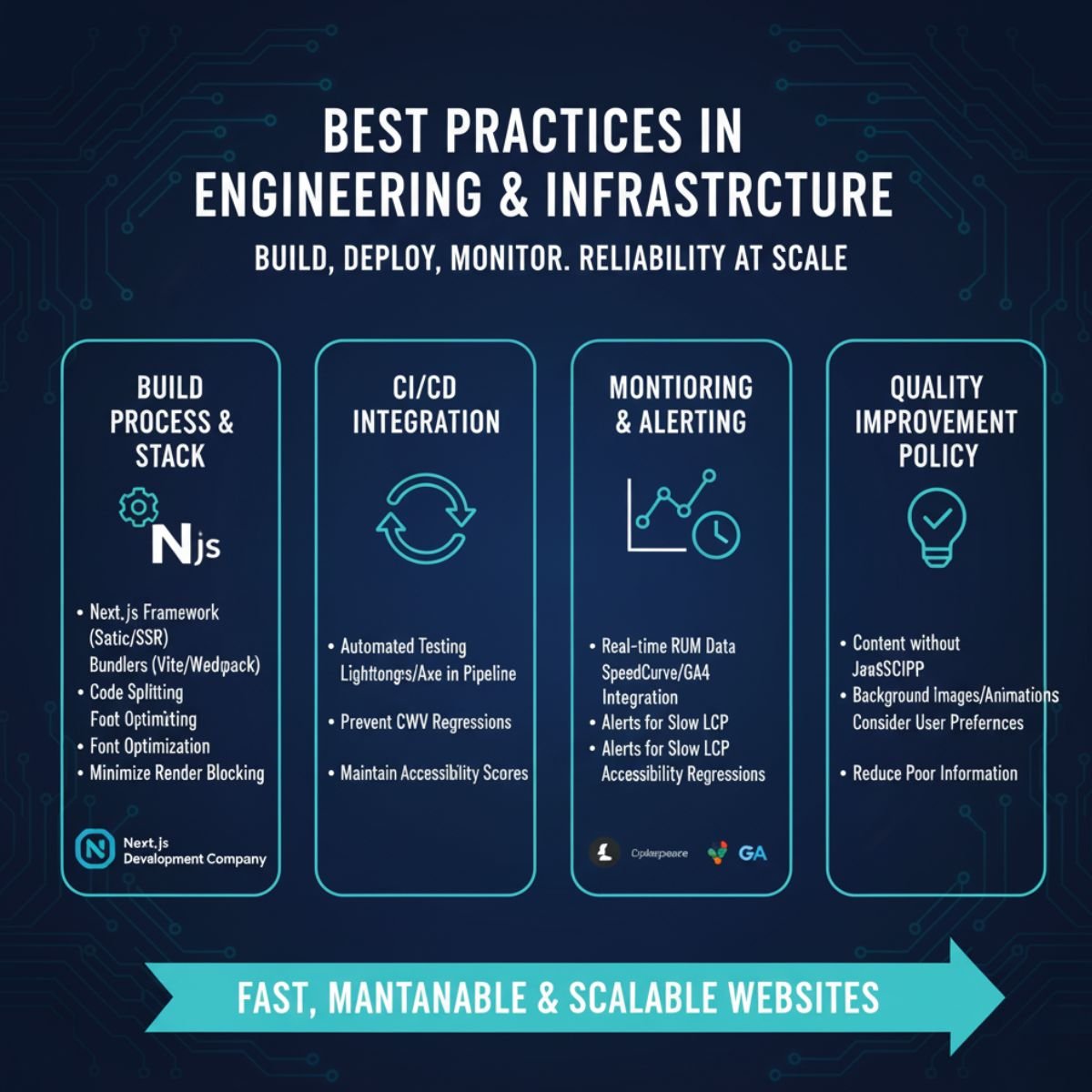
The back end of every fast speed and best performance website is strong engineering. How you build, deploy, and monitor your site affects its performance and reliability.
These best practices and modern tech stacks make websites fast, maintainable, and scalable.
Build Process & Modern Stack
Modern frameworks like Next.js make websites fast by default. They support static rendering and server-side rendering (SSR) for better SEO and speed.
That’s why many brands work with a Next.js website development company to upgrade old sites.
Use bundlers like Vite or Webpack for code splitting. Optimize fonts and minimize render-blocking scripts.
CI/CD Integration
Automation keeps quality high.
-
Integrate Lighthouse and axe testing into your CI pipeline.
-
Implement measures to prevent any increases in Core Web Vitals or downgrades of accessibility scores.
Monitoring and reminding
Do not stop after launch.
-
View usage data in real-time using SpeedCurve or GA4 RUM.
-
Place a reminder for slow LCP or accessibility regressions.
Quality Improvement Policy.
-
Optimize your website so that your content loads without JavaScript.
-
Add an image or animation to the background.
Consider user preferences, such as reducing poor-quality information.
Design and UX models to deliver results.
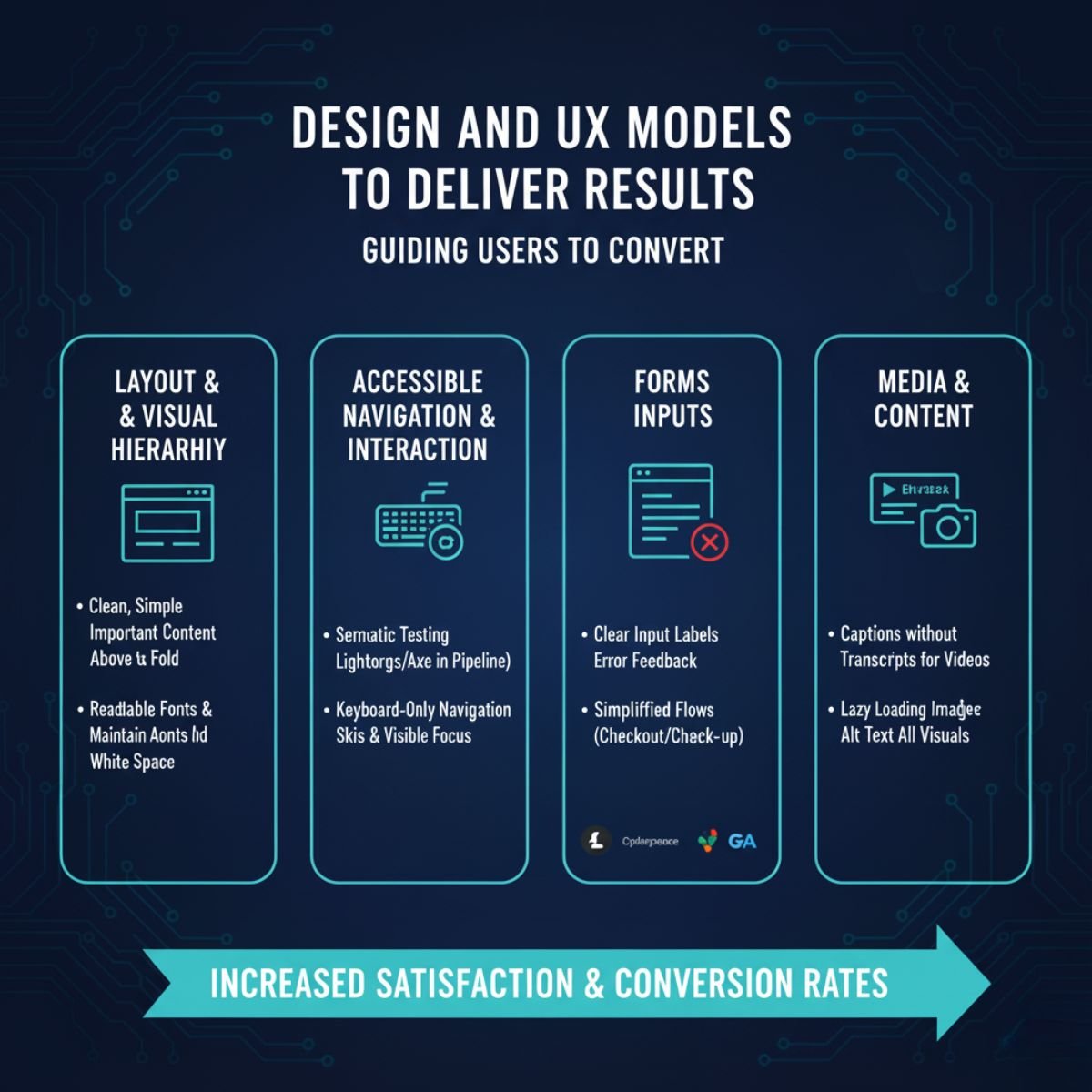
A good design is not just a look. It shows how users move, interact, and convert.
Here, we provide a simple and easy-to-follow layout and UX framework. Following these guidelines will increase user satisfaction and conversion rates.
Layout and Visual Hierarchy
-
Keep layouts clean, simple, and responsive.
-
Show the most important content above the fold.
-
Use readable fonts and enough white space.
Accessible Navigation and Interaction
-
Use semantic HTML elements like <header>, <nav>, <main>, and <footer>.
-
Make sure users can navigate using just the keyboard.
-
Add skip links and visible focus indicators.
Forms and Inputs
-
Label every input clearly.
-
Add real-time error feedback using ARIA alerts.
-
Simplify checkout or sign-up flows to reduce friction.
Media and Content
-
Add captions and transcripts for videos.
-
Use lazy loading for images.
-
Always include alt text for visuals.
Smart Conversion Optimize Process
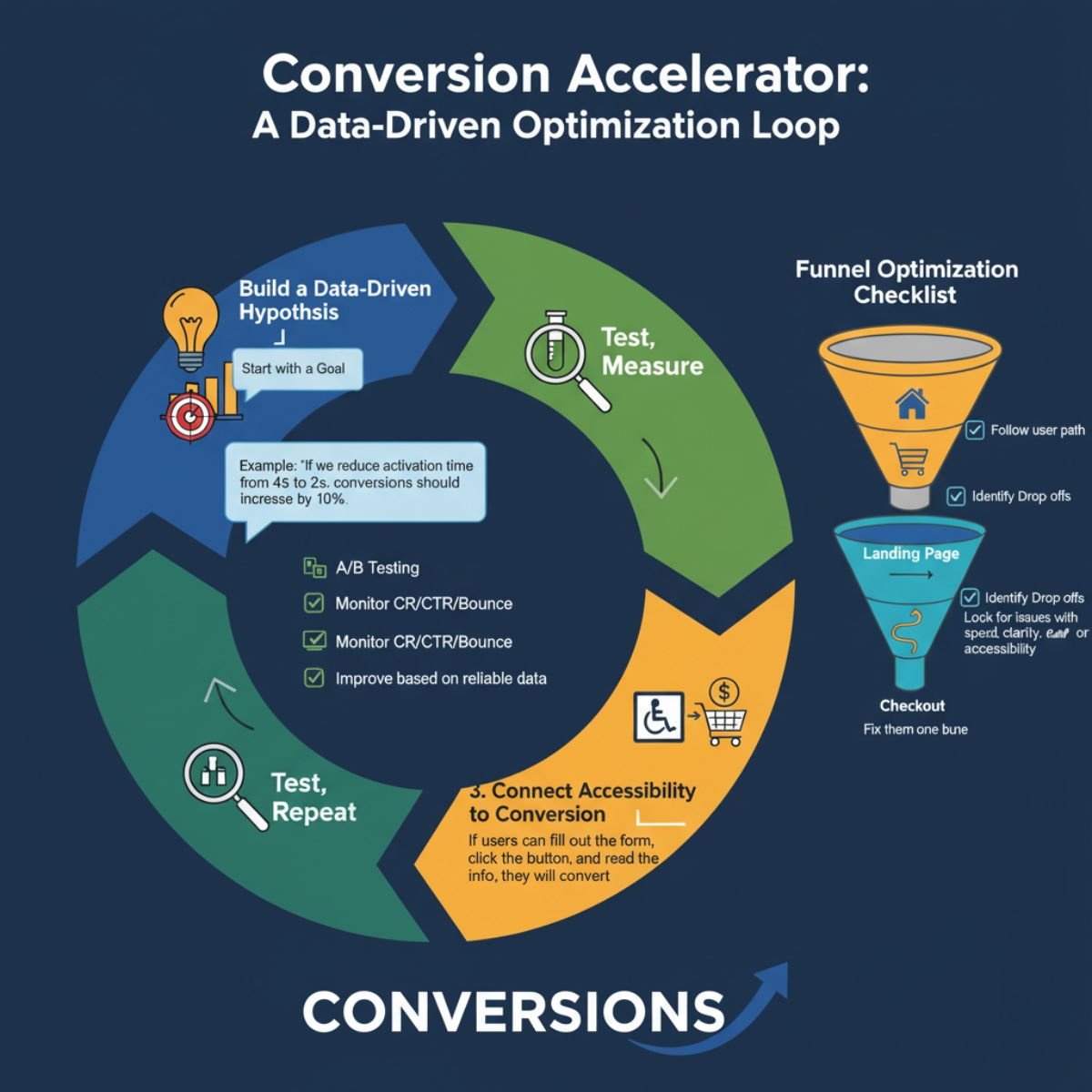
Conversions are the ultimate goal for most websites. A site that looks good but does not convert is wasted effort.
Follow these processes to make data-driven decisions, test changes, and link improvements in speed and accessibility to higher conversions.
Build a Data-Driven Hypothesis
Every change should start with a goal. Test and measure the result.
For instance: “If we prevent the activation time from 4 seconds to 2 seconds, conversions should increase by 10%.”
Test, measure, Repeat
-
Use A/B testing to compare designs or alter variations..
-
Monidor click-through rates, conversion rates, and bounce rates.
-
Improvement based on reliable data.
Connect Accessibility to Conversion
Accessible sites will change things for the better. If users can fill out the form, click the button, and read the information, they will stay longer and make more purchases.
Several brands have proven that improving accessibility increases their sales and reduces drop-offs.
Funnel Optimization Checklist
-
Follow the user path from the landing page to checkout.
-
Identify where they drop off.
-
Look for issues with speed, clarity, or accessibility at each step.
-
Fix them one by one.
Content & Marketing Integration
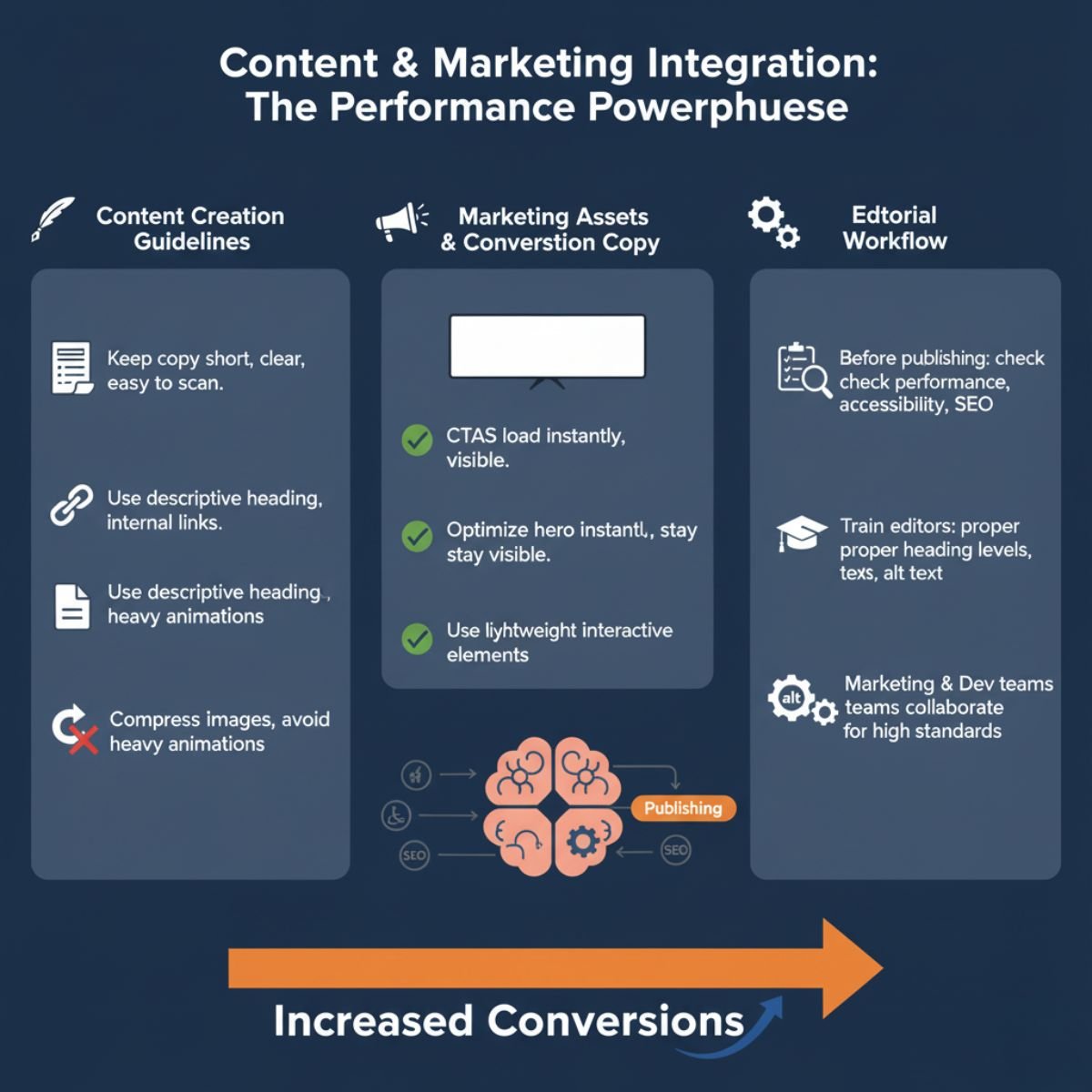
Website performance is not only about tech and design. The content you deliver affects speed, accessibility, and conversion, too.
Create content that is fast, readable, accessible, and aligned with marketing goals.
Content Creation Guidelines
-
Keep copy short, clear, and easy to scan.
-
Use descriptive headings and internal links.
-
Compress images and avoid heavy animations.
Marketing Assets & Conversion Copy
-
Make sure CTAs load instantly and stay visible.
-
Optimize hero sections for clarity.
-
Use lightweight interactive elements.
Editorial Workflow
-
Before publishing, check performance, accessibility, and SEO.
-
Train editors to use proper heading levels and alt text.
-
Ensure marketing and dev teams work together to keep standards high.
Governance, Culture & Continuous Improvement
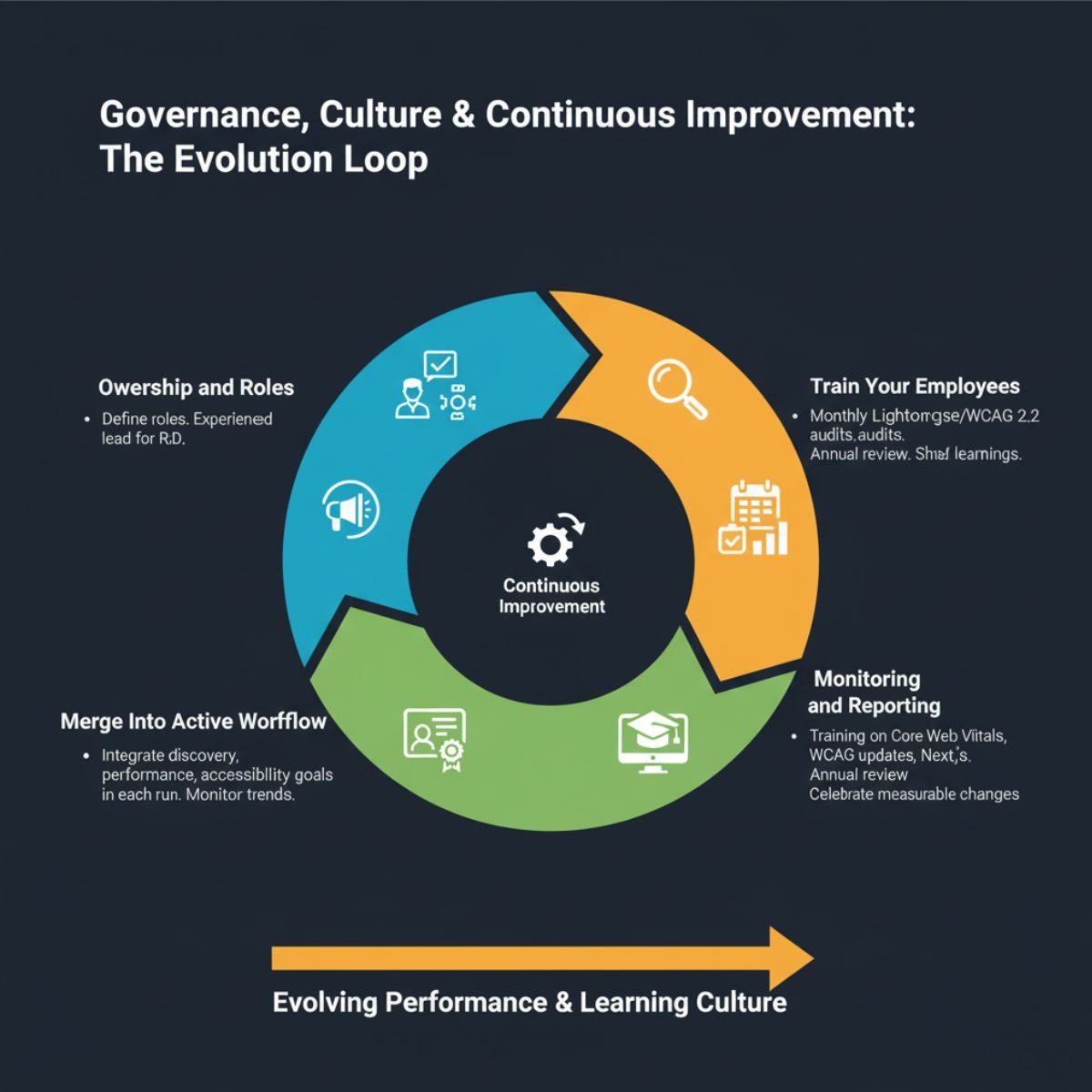
A fast, accessible, and converting website is never finished. It requires consistent care, clear ownership, and a culture of continuous improvement.
Following these roles, teams can maintain standards, track progress, and keep learning over time.
Ownership and Roles
Define roles for developers, designers, and marketers. Choose an experienced company that can lead the research and development process.
Marge Into Active Workflow
Continue to use the discovery process in each run. Also, add performance and accessibility goals. Monitor trends in reflection.
Monitoring and reporting regularly.
Perform monthly Lighthouse audit and WCAG 2.2 accessibility audits. Do an annual review. Share values and learnings within the organization.
Train your employees.
Lead training on Core Web Vitals, WCAG updates, and Next.js optimization. Be proud of the measurable changes.
Tools, systems, and Design
Good tools make a big difference. They help you track performance, revenue, and changes, and reduce training and development costs.
Important tools
-
Performance: Lighthouse, WebPageTest, GTmetrix
-
Accessibility: axe, WAVE, NVDA, VoiceOver
-
Monitoring: GA4, Datadog RUM, SpeedCurve
Templates & Checklists
-
Speed audit checklist
-
Accessibility audit checklist
-
Conversion experiment tracker
Glossary & Further Reading
-
LCP – Largest Contentful Paint
-
INP – Interaction to Next Paint
-
CLS – Cumulative Layout Shift
-
WCAG – Web Content Accessibility Guidelines
-
ARIA – Accessible Rich Internet Applications
Recommended sites: web.dev, Smashing Magazine, NN/g, CXL, and Next.js documentation.
Conclusion
A fast website that works for everyone and turns visitors into customers is more than just an online presence. It gives you an edge over competitors. Fast websites make users happy. Accessible websites build trust. Smart design brings growth.
At Accord Tech Solution, we help businesses do all this. Our Core Web Vitals optimization service makes your website super fast. As a top Next.js website development company, we build modern and reliable websites. We do WCAG 2.2 accessibility audits to make sure everyone can use your site. And as a conversion-focused web design agency, we help turn visitors into loyal customers.
Combine all this with Accord Tech Solution, and your website becomes powerful. Start your audit today. Follow our guide. See your website perform at its best on every device.