

Picture a stranger who lands on your homepage and sees the first screen, the part you see before you scroll, sometimes called "above the fold". The headline reads "Smarter Supply Chains Start Here" (an invented example). Is this a software company, a freight firm or a consultancy? The stranger has to guess. Your team cannot see that gap, because it already knows what the company does. B2B homepage messaging is clear only when a stranger can say, after a few seconds, what you do, who it is for, what result it brings and what to do next.
The homepage is also where buyers land after your email, your search result or your social post. In a B2B growth engine, a vague first screen breaks the path from those messages to a booked call. It shows up as clicks that never become calls.
What does a five-second test actually measure?
Nielsen Norman Group (NN/g) is a usability research firm. In its guide to testing visual design, published in December 2024, NN/g describes the five-second test as a first-impression test: people see a design for five seconds, and you capture their "gut reaction". NN/g says five seconds is too short to read copy, so it uses the test mostly for look and feel.
NN/g also advises against telling people that the design will be shown for only a short time, and the script below follows that advice. NN/g's use is mostly about look and feel. Our use is narrower, and NN/g does not prescribe it. We borrow the short viewing time to check whether the main message survives it. A headline is a few words, so five seconds can be enough to take it in, though we have not validated this adaptation. Because five seconds is too short for paragraphs, the test judges only the headline, the line under it, the main image and the main button. The numbers, scoring rule and questions below are our own starting points, not industry standards. The test measures one thing: whether a stranger gets the message from the first screen. It does not show whether the message is true, whether the right people arrive, or whether anyone will fill in the form.
Why other people, not a self-review. You cannot un-know your own company, so your mind fills in what the headline leaves out. The live B2B website conversion checklist already asks you to review the first screen without the navigation or the company name. A self-review tells you what you meant. A five-second test tells you what arrived.
What should B2B homepage messaging make a buyer understand first?
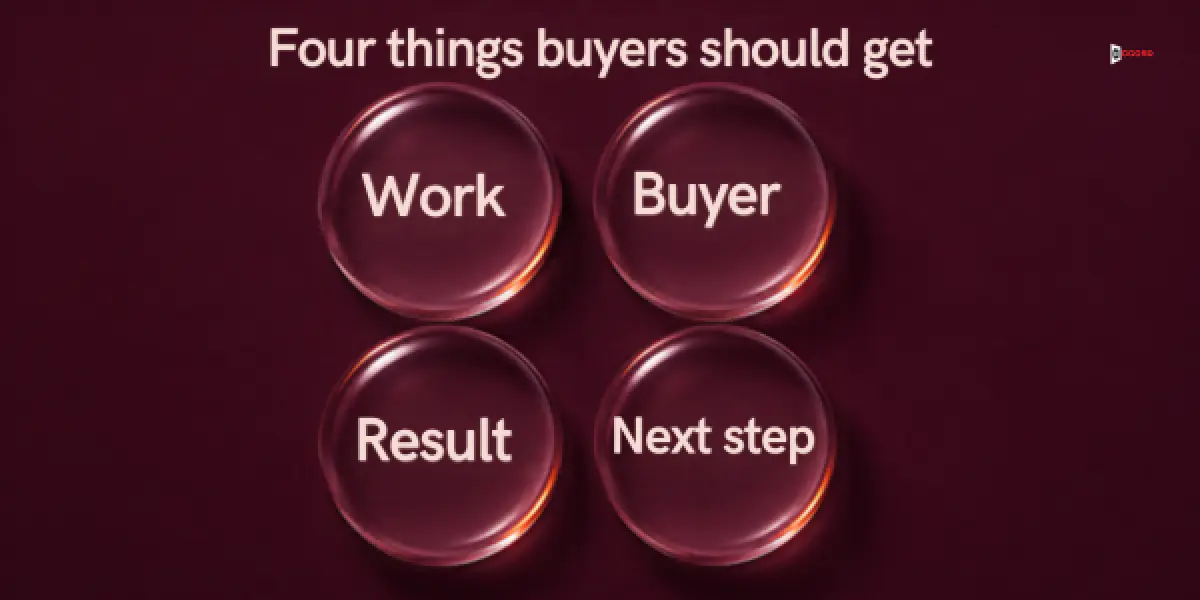
Good B2B homepage messaging answers four questions, in this order, and a stranger can answer each one after a few seconds on the first screen.
1. What does this company do? The answer should name the work in plain words, such as "checks freight invoices". A category alone, such as "a technology company", is too vague to count.
2. Who is it for? The answer should name a kind of buyer: a job title, a type of company or a size. "Businesses" is too wide. "Shippers that move 200 to 2,000 loads a month" is something a buyer can match.
3. What problem does it solve, or what result does it bring? The answer should say what gets better or what goes away.
4. What should I do next? The answer should name the main action on the page, such as "request a sample audit". It does not have to be a purchase, only a step the buyer can see.
The first question matches what NN/g said about taglines in 2001. In its article on taglines, written by Jakob Nielsen in 2001, NN/g says a site's tagline must explain what the company does and what makes it unique among competitors. It also gives two quick checks that we use in the fix section.
Before you test anyone, write an answer key: what a correct answer to each question sounds like, with two or three accepted ways of saying it. Do this alone and first, so that you do not bend the key to fit what people say.
Where does homepage messaging fit in a B2B growth engine?
We use the term B2B growth engine for a connected system that helps the right buyers find, trust and respond. It joins lead generation, email, SEO and AEO, web development and social media, so that every message leads to one pipeline: the path from a buyer's first signal to a qualified conversation.
Homepage messaging belongs to the web development part. It receives the visitors that email, search and social send, and it hands on one thing, a form fill or a booked call.
When this part is weak, the other parts take the blame. Say your email states "we check freight invoices" and your homepage says "Smarter supply chains". The buyer who clicked sees two companies and leaves. The email team sees clicks with no replies and rewrites the subject line. The content team sees short visits and writes more posts.

Here is a ten-minute check you can run alone. Put your latest first email or social post next to your homepage first screen, and cover the company name on both. If a stranger would think they came from two companies, the page needs the same plain words as the message that sent the buyer. This check shows whether the page and the message match. The five-second test shows whether the message lands.
Who should you test, and how many people?
Use five people who hold a job like your buyer's job, who work at companies that are not your customers, and who have never seen your homepage. Ask each person first whether they know your company, and replace anyone who does. Test them one at a time, so that nobody hears another person's answers.
Why five. Each person is 20 percent of the result for any question, so five people show a pattern but prove nothing. If you can recruit more, the pass line scales with the group.
Where to find them. Ask your sales team for peers at companies you have never contacted, or ask a friendly customer to introduce one peer at another company. Do not use your own team, family, partners or rivals, because they already know the answers or may not be fair.
How long it takes. Allow about 20 minutes for the answer key, 5 minutes for each of the five sessions and 15 minutes for scoring. That is about an hour in all (20 + 25 + 15 = 60), plus the time to find people.
What do you show, and what do you say? The test script
Show a screenshot of the first screen, not the live page, so that nobody can scroll or click. Take it at desktop size, or at phone size if most of your visits come from phones. Keep the header and the navigation in the picture, because real visitors see them.
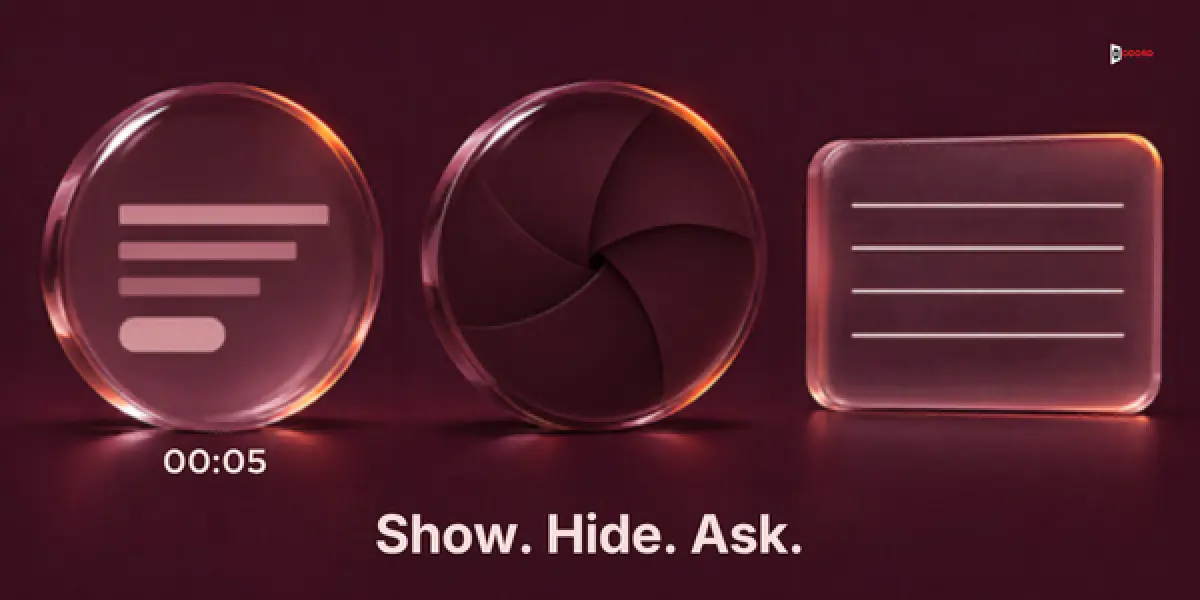
Run each session in these steps.
- Read the opening lines below. Do not say how long the page will show.
- Show the screenshot and count five seconds on a timer you can see. Then hide it completely.
- Ask the four questions in order. Write down the exact words of each answer. Do not nod, hint or say "right".
- Ask the closing prompt, which is not scored.
- Thank the person. Do not explain the page until every session is done.
Here is the opening to read aloud:
Thank you for helping. I am going to show you a web page and then hide it.
Then I will ask you four short questions about it.
This is not a test of you. Please answer from what you remember. If you do not know, just say so.
These are the four questions, in this order:
Question 1: In your own words, what does this company do?
Question 2: Who do you think this company is for?
Question 3: What problem or result is the page about?
Question 4: If you wanted to know more, what would you do next on this page?
Close with one prompt that is not scored. It tells you what actually caught the eye.
Closing prompt: What words or pictures do you remember seeing?
If a person asks "Is it this?", say "Whatever you remember is fine." If they ask to see the page again, say you will show it after every session is done.
How do you score the answers and set a pass line?
Score each answer as a Hit, Partly or a Miss, using the answer key you wrote first.
Hit. The answer matches your key in meaning, even in different words. "They check freight bills for mistakes" is a Hit for a company that checks freight invoices.
Partly. The answer is in the right area but too vague to act on. "Something in logistics" is Partly, and "click somewhere at the top" is Partly for question 4.
Miss. The answer is wrong, empty, or "I do not know".
One edge case comes up often: a person who reads the headline back to you counts as a Hit only if the headline would pass your key on its own. "Smarter supply chains" read back is not a Hit for a company that checks freight invoices.
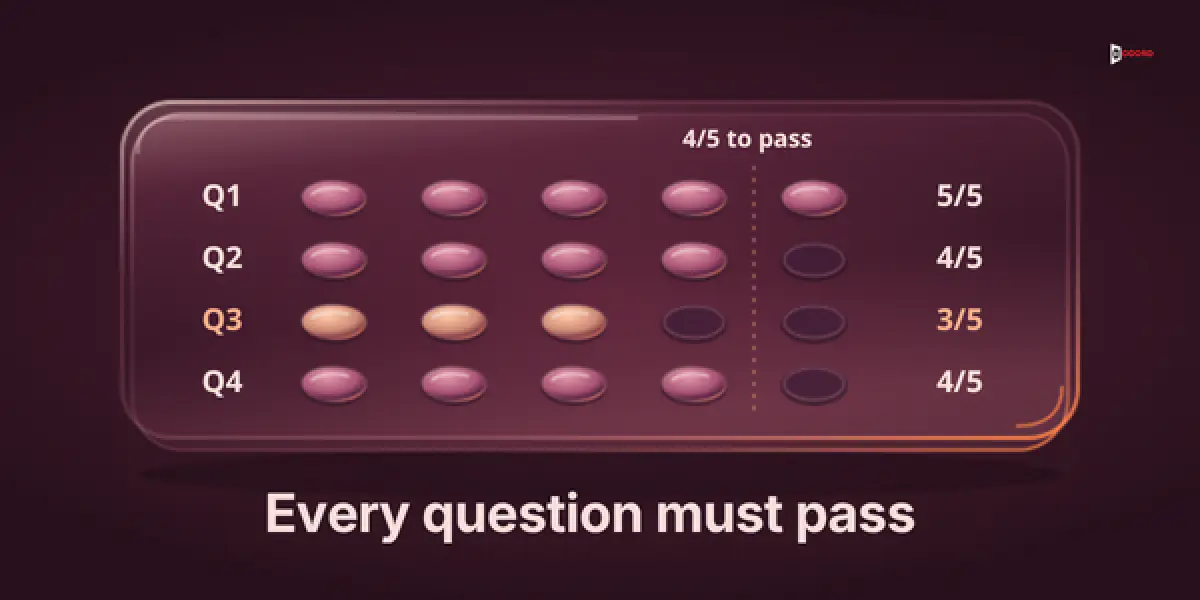
The pass line is the lowest result you accept. Our starting point is that at least 80% of the group, rounded up, score a Hit on a question: 4 of 5, 5 of 6, 8 of 10, or 3 of 3. Each question gets its own result, because a good total can hide a question that nobody got right. A question at the pass line passes, so stop changing its words (a weak button label is the one exception) and watch real signals such as replies and calls. One Hit short of the line, fix and retest. Two or more short, the message is not landing, so rewrite it.
Copy this grid into a spreadsheet or onto paper. Write H, P or M in each cell, then count the Hits in each column.
| 1. What does the company do? | 2. Who is it for? | 3. What problem or result? | 4. What next? | |
|---|---|---|---|---|
| A Hit sounds like | Names the actual work in plain words | Names a role, a company type or a size | Names what gets better or goes away | Names the main button's action |
| Person 1 | ||||
| Person 2 | ||||
| Person 3 | ||||
| Person 4 | ||||
| Person 5 | ||||
| Hits (pass line: 4 of 5) |
The page passes when all four columns reach the pass line.
What do you do with "I do not know"?
Score it as a Miss, and treat it as a useful answer. It tells you that the answer did not reach the person in five seconds. That is not the same as the page having no answer, because the answer may be on the page and simply easy to miss. A wrong guess shows what the page seems to say. An honest blank shows where the message did not come through.
Do not coax an answer, because a guess prompted by you is shaped by your hint. After the closing prompt, you may ask one gentle follow-up on any Miss, such as "What made that one hard to tell?" Write the answer down, but do not change the score. If four people give no answer to the same question, write this in your notes: "The answer did not come through in five seconds." Then look at the page for the answer before you decide anything. In the Vantry example below, the result line was on the page, but it sat in small type under the button, so most people never saw it. The fix there was to move it, not to write a new one. If one person gives no answer to every question, check before you score whether that person was your kind of buyer. Drop a session only for that reason, never because the answers were poor, and recruit a replacement so you still have a full group. A kept session counts as a Miss on every question.
What do you fix first when the score is bad?
Fix the words before the layout. A failed question points to a headline, a line or a button, and words are the cheapest thing to change. If you are weighing a rebuild, our guide to website redesign or conversion work explains how to tell which one you need. Work through the failed questions in order, because each answer leans on the one before it.
Question 1 fails: the page does not say what you do. Rewrite the headline as a plain statement of the work, starting from the words in the email or post that sent the visitor. Then use the two checks from the NN/g tagline article. The competitor check asks whether the line would work just as well for a competitor. The opposite check asks whether any company would ever claim the opposite. "Smarter supply chains" fails both, so it says little about you. "We check your freight invoices before you pay them" passes the what-do-you-do test, but a direct rival could still say it, so what makes you different belongs in the line under it.
Question 2 fails: nobody can tell who the page is for. Name the buyer in the line under the headline, by job, company type or size. A narrow line feels risky, because some visitors learn the page is not for them. That is the point: a visitor who sees themselves may stay.
Question 3 fails: the benefit is missing or buried. Add one sentence about what the buyer gets or what problem goes away, in words your buyers use on sales calls, and place it in the first screen. Do not promise numbers you cannot show.
Question 4 fails: the next step is unclear. Make one button the clear main action and label it with a verb and a thing, such as "Request a sample audit" in place of "Learn more". If two buttons look equally important, people may remember neither. Question 4 only checks that people can find the main action, so fix a weak label such as "Learn more" even when it passes. Then check where the request goes. If it lands in an inbox that nobody reads, the handoff to the pipeline is broken, whatever the button says.
Change the words, then retest. Keep the layout, the images and the colors the same, so that you know what moved the score. If you must change something else, change only one thing per round. Test five new people, because the first five now know the old page.
What if everyone answers differently?
Five different answers. No single message came through, which may mean too many ideas compete on the first screen. Cut it down to one main idea.
Most people miss the line under the headline. That is still a fail for a real visitor, but check the closing-prompt answers to see whether the line was read at all.
The same wrong answer. If four people say "software" and you sell a service, the page sends a clear but wrong message. Use the closing-prompt answers to find the headline or image that caused it.
Imagine: one homepage, five people at a time
Imagine a small company called Vantry Freight Audit. This example is invented, including the company name and every number, and the sample numbers are not a benchmark. Vantry checks freight invoices for billing errors and sells to shippers that move 200 to 2,000 loads a month.
Vantry's cold emails name the work and the buyer. Even so, three replies in one batch say some version of "I looked at your site and could not tell what you do." The team could rewrite the email. The owner reads it differently: the email is clear and the site is not, so the break sits in the web development part of the growth engine. The homepage has a headline, "Smarter Supply Chains Start Here", a line under it, "Innovative solutions for a changing world", a photo of a warehouse and a button labeled "Learn more". In small type under the button sits one more line, "A list of overcharges, with the contract line for each".
The owner writes the answer key from the email's words. Question 1: checks freight invoices or bills. Question 2: shippers, or companies that pay freight bills. Question 3: a list of overcharges with the contract line for each, or money recovered, not just "checks". Question 4: names the main button on the page. Five operations people at mid-sized shippers, none of whom know Vantry, take part one at a time.
Question 1: 1 Hit, 2 Partly (such as "something in logistics") and 2 Miss ("software for supply chains" and "I do not know"). Question 2: 0 Hit, 2 Partly and 3 Miss. Question 3: 1 Hit, 1 Partly and 3 Miss. Question 4: 3 Hit and 2 Miss, because three people say they would click "Learn more" and two say they would scroll down or open the menu.
The Hits are 1, 0, 1 and 3, which makes 5 of the 20 answers, or 25%. By the rule, questions 1, 2 and 3 are not landing, and question 4 needs a fix and a retest. The page fails.
The owner changes the words only. The headline, the line under it and the button label all change at once, which is a shortcut: if a question still fails, change one of them at a time. The headline becomes "We check your freight invoices before you pay them". The line under it becomes "Freight invoice checks for shippers that move 200 to 2,000 loads a month". The button becomes "Request a sample audit". The photo and layout stay the same. Five new people take part, and the Hits are 5 for question 1, 4 for question 2, 3 for question 3 and 4 for question 4. That is 5 + 4 + 3 + 4 = 16 of 20 answers, or 80%. Questions 1, 2 and 4 pass. Question 3 has 3 Hits, so it needs a fix and a retest, and the page still fails.
The closing-prompt answers show that the result line sits in small type under the button, where few people saw it. The owner moves it under the headline. That is the only change in this round. Five new people take part, and the Hits are 5, 4, 4 and 4. That is 5 + 4 + 4 + 4 = 17 of 20 answers, or 85%. Every question reaches 4 of 5, so the owner stops changing words for now and watches the next email batch for replies like the first three.

Frequently asked questions
What is a five-second test for a website?
A person sees a web page for about five seconds, then answers questions from memory. Nielsen Norman Group describes it as a way to capture first impressions of a design.
How many people do I need for a five-second homepage test?
Five people, tested one at a time, is our starting point.
What is a good score on a five-second test?
The page passes when, for each of the four questions separately, at least 80% of people (rounded up; 4 of 5) give a Hit. Every question has to reach that line. It is our own starting point, not an industry standard.
Does a pass mean the homepage will bring in leads?
No. A pass means a stranger understood the first screen. It says nothing about whether the right people visit or whether the form is easy to use.
How does homepage messaging connect to email, search and social?
The homepage is where those parts send visitors, so its first screen should use the same plain words about who you help and what you do as the email or post that earned the click. If the words differ, the visitor may leave, and the email or post looks weaker than it is.
How often should I run the test?
Run it whenever you change the headline, the line under it, the main image or the main button, and before a redesign goes live. Use five new people each time, because anyone who saw the old page cannot give a fresh first impression.
Should I test the mobile homepage as well?
Yes, if many of your visitors use phones. Run a separate round of five people on a phone screenshot, because the headline, the picture and the button may fill the screen differently.
Next step
In a working session, we check your first screen against the email or post that sends buyers to it, which shows how well two parts of your growth engine connect, then write the answer key and the four questions together. You can book a 30-minute working session. Bring a screenshot of your homepage, the email or post that sends buyers to it, and a short description of your buyer. Accord sells these five services as one connected growth engine, so we have an interest in this subject.