
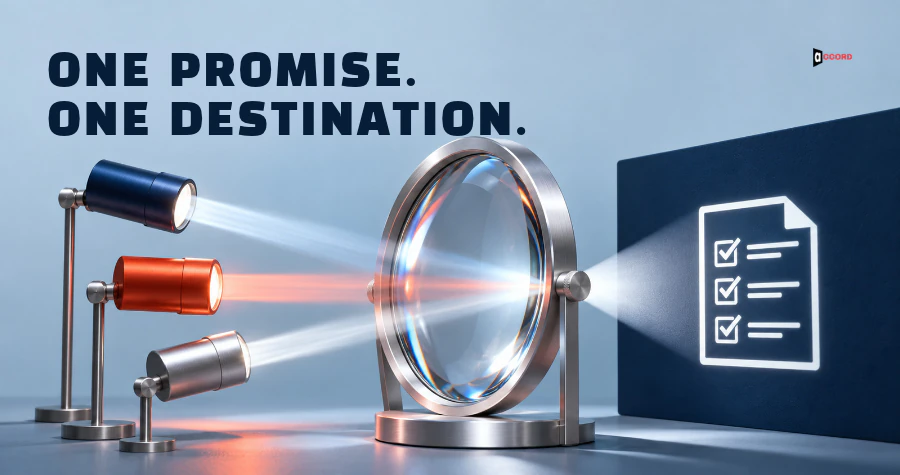
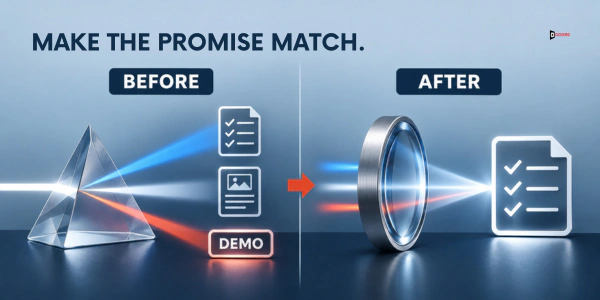
A buyer clicks a link in your email because the email promised a one-page checklist. The page that opens talks about "end-to-end finance solutions" and asks for a demo. The buyer closes the tab, and you never learn why.
The email and the page each did their own job, but together they told different stories. An ad or a social post that points to the same page can add a third. In a B2B growth engine, that is a break between the email and the web page: the email earns the click, the page loses it, and the team sees clicks that never become replies. This guide gives you a six-part message match landing page check to find those breaks.
The tests and counts in this post are Accord's own starting points, not industry rules. The outside facts come from Google and Nielsen Norman Group.
What is message match, and why does it matter for a B2B landing page?
Message match means that what the buyer sees after the click is what the email or ad led the buyer to expect. That expectation is the promise: whatever the email or ad says the buyer will get by clicking, such as a checklist, a price, a sample or a call.
It does not mean the same words or the same design. A page that repeats the ad's words but delivers a different offer fails. A page that uses different words for the same offer can pass.

Google describes the same idea for search ads. Its help page Optimize your ads and landing pages tells advertisers to choose a landing page that closely matches the ad and keywords. It says the page should mirror the call-to-action (the action the ad asks for) in the ad text. It is written for Google Ads and the part we read does not mention email, so applying it to email is our view.
Why does this matter in B2B? In our view, a business buyer is busy and cautious, so a small surprise after the click is a cheap reason to leave. A link may also be forwarded to a colleague who never saw the email, so the page must state the offer on its first screen, the part visible without scrolling.
Accord's B2B website conversion checklist has one fix on the same idea: continue the promise that brought the visitor. If you have not yet written one message for one buyer, start with our guide to the one-page message sheet.
Where does message match fit in a B2B growth engine?
A B2B growth engine is a connected system that helps the right buyers find, trust and respond to a company, as Accord's post on the B2B growth engine puts it. It has five parts, and the linked post uses a second name for each. SEO and AEO (optimizing for search and for AI answer tools) help buyers find you; the post calls this search visibility. Lead generation decides who to reach (account data). Email starts and keeps conversations (outbound outreach). Web development builds the pages that turn attention into a booked call (website conversion). Social media marketing builds familiarity and trust before and after contact (social proof).
The parts pass signals to each other. A signal is a sign of buyer interest, such as a click, a reply or a form fill. At the end sits the pipeline: the buyers who have asked for a call or a next step.
Message match belongs to the web part, the page itself. The page receives a buyer who arrives with a promise from an email, a paid ad or a social post. It hands on a form fill, which the email part answers, or a booked call, which enters the pipeline.
When the page is weak, the other parts get the blame. The email team sees clicks but few replies, so it rewrites a subject line that was fine. Nobody sees the real fault, because each part reports its own numbers.
Here is a ten-minute check on whether your own parts are connected. Take your last form fill or booked call and find which email, ad or post sent that person. If you can name it, that one path is tracked. If you cannot, add a short label to the end of each link, as explained in the section on measuring a fix, before you do anything else. With no form fills yet, ask whether you can see the visits from your last email's link. Then open that email and its page side by side. If the page does not open with the email's offer, you have found a message match gap, so run the six checks below.
What are the six message match landing page checks?
There are six checks, run across all three pieces. The table is your copyable checklist.
| Check | The question | Passes if | If it fails |
|---|---|---|---|
| 1. Headline | Same topic in all three? | One key phrase of two to four words (or a plain synonym) appears in the email subject, ad headline and page headline | Put the email's key phrase in the page headline |
| 2. Offer | Same thing promised? | The thing, its price status (free, paid, trial) and its size are the same in all three | Rewrite the wrong piece to state the real offer |
| 3. Proof | Can the buyer see what was claimed? | Every claim is visible on the page within one scroll, and the page claims nothing bigger | Move the proof up, swap the claim for a sample, or cut it |
| 4. Button | Same ask? | The button uses the email's verb and noun and asks for no more | Rename the button and remove competing ones |
| 5. Tone | Same sender? | The sender or company name from the email shows on the first screen, and the first paragraph reads in the email's voice | Rewrite the first screen in the email's voice |
| 6. Next step | Is what happens next stated? | One sentence says what arrives, when and from whom, and matches the email | Add the sentence beside the button and cut extra form fields |
A check passes only if it passes for all three pieces. The scoring rule: send more traffic only if checks 1 and 2 pass, check 6 passes if the page has a form or a booking link, and at least five of the six pass. Count "I do not know" as a fail until you have checked. If a live ad fails the rule, pause that ad. If a sent email fails it, change the page its link opens. Do not pause the whole campaign.
Which piece should you change? The one that is easiest to change and tells the buyer the truth. A sent email cannot be edited, so you change the page.
Check 1: Does the headline name the same topic?
Compare the email subject line, the ad headline and the biggest line at the top of the page. Underline the key phrase in each: the two to four words that name the topic, such as "month-end close checklist". The check passes if the same phrase, or a plain synonym the buyer would treat as the same thing, appears in all three. Test it by showing one person only the email subject and the page headline and asking whether they are about the same thing.
Nielsen Norman Group, a web usability research firm, covers this in its article on information scent, published 2 February 2020. It says a link label should be a short but accurate description of the page, and that an intriguing label that does not match the content uses up the visitor's trust. It covers links in general, not email or ads.
A slogan such as "Finance Automation for the Modern Enterprise" names no topic and fails. Put the email's key phrase in the page headline and keep the slogan as a smaller line under it. If you cannot name the key phrase, the email has no single promise yet, so write it in one sentence first.
Check 2: Is the buyer promised the same offer everywhere?
The offer is the thing the buyer gets for clicking. It has three facts: what it is, what it costs, and how big it is. The check passes if all three facts are the same in the email, the ad and the page. Small changes of wording count too. "Free" in the email and "free for seven days" on the page differ in price status. "Checklist" in the ad and "audit" on the page differ in the thing. "A short call" and "30-minute session" differ in size.

Rewrite the wrong piece so it states the real offer. If you do not know the exact terms yet, such as whether the checklist stays free, the offer is not ready to send. Decide it, write it in one line, and use that line in all three pieces.
Check 3: Can the buyer see the proof the email promised?
Proof is anything a buyer can check that supports the promise: a sample, a preview of the file, a public page, or a number with a named source. The check passes in two parts. Every claim in the email or ad must be visible on the page within one scroll, and the page must not claim anything bigger than the email did. If the email says "see a sample inside", the sample must be on the page, and a row of customer logos is not a sample. If the email says "we help finance teams close faster", the page must show what supports it, or you drop the claim from the next email.
If you do not know whether you have proof, ask whoever delivers the service for one sample you may share. If there is none, cut the claim.
Check 4: Does the button ask for what the email asked for?
The button is the main action on the first screen. The email also makes an ask, such as "Get the checklist". The check passes when the button uses the same verb and noun as the email's ask, and it asks for no more than the email did.
A quieter mismatch is a button with different words that also asks for more. An email that says "Take a look" and a button that says "Book a demo" fails, because the button asks the buyer to commit time. Google's guidance covers only mirroring the call-to-action. The rule about asking for no more is ours.
Keep one main button on the first screen, and rename it after the email's ask. A smaller option such as "Talk to us" may sit lower, but it must not compete. If the business wants a demo request, offer it after the buyer has what they asked for.
Check 5: Does it sound like the same sender?
Read the first two sentences of the email aloud, then the first paragraph of the page. Would a listener think one person wrote both? A plain, warm email that leads to a page of "a leading provider of integrated solutions" fails. The check passes if two things hold. The sender or company name from the email shows on the first screen. And the first paragraph uses the same kind of words: short sentences and the same way of addressing the reader.
The fix is to rewrite the headline, the line under it and the first paragraph in the voice of the email.
Check 6: Does the page say what happens next?
The check passes if one sentence near the button says what arrives, when and from whom. For example: "We email the PDF right away. A week later Marta writes once to ask whether it helped." The form should ask only for what that next step needs. To email a PDF, you need an email address and perhaps a first name, so eleven fields for a one-page PDF do not match the promise. The sentence may add detail the email left out, such as the later follow-up, as long as it does not contradict the email.
The fix is to add the sentence beside the button and cut every field the next step does not use. If a person will reply, state a time only if you can keep it, such as "within one business day". Then submit the form with a test address. Does the file arrive, and does a person reply? If you do not know who watches the form inbox, find out before you send anything, because a form nobody reads is a dead end and the email part never receives the signal.
What if you have no ad, or many emails and one page?
With no paid ad, run the same six checks across two pieces, the email and the page, with the same scoring rule. If a sequence has several emails with links, check each one that carries a link. A first cold email may carry none, so start with the first message that does.
If one page serves several sources, give each different promise its own page, or change the promises so that they match.
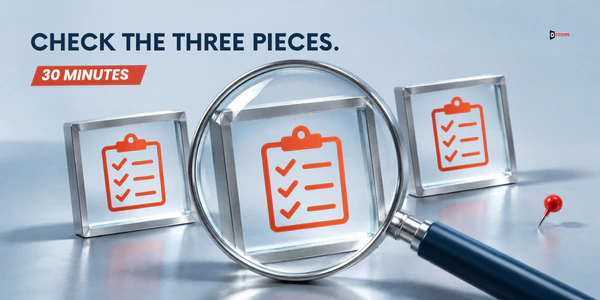
How do you run the check in 30 minutes?
The review takes five steps.
- Collect the email subject, first two sentences and ask; the ad headline, text and button; and a screenshot of the page's first screen on a laptop and on a phone.
- Make a sheet with a row for each check and a column for each piece. Mark each check Pass, Fail or Unknown, and count Unknown as Fail in the score.
- Run the expectation test with three people who are not on the project. Show each only the email and ask what they expect to see and get after the click. Then show the first screen of the page and ask what is different. The table decides each check, and the three answers can only add a fail. If two of the three people name a difference that matches a check, mark that check Fail even if you thought it passed. One person's comment is a note, not a score change.
- Fix in order: check 1, then check 2, then the rest.
- Run the checks again on the pieces you changed, and save the sheet with the date.
Your own time is about 30 minutes, plus the time your three people need to answer. If a call is hard to arrange, send the email and a screenshot by message. Send the result to whoever writes the email and whoever owns the page, so both parts fix the same gap.
How do you tell whether a fix helped?
Use one rate: form submissions divided by visits from that one link. A visit is one arrival on the page from the link. To count visits from one email or ad, add a short label to the end of the link so that your analytics tool can separate that traffic. A common label is a UTM parameter, such as ?utm_source=email&utm_campaign=close-checklist; your analytics tool's help page explains how it reads them. A form submission is one completed form. Some mail filters open links automatically, which can add visits that are not real buyers and lower the rate, so treat a low rate as a hint, not a verdict.
Small numbers move a lot: with 36 visits, one more submission raises the rate by about 2.8 points. So compare several sends, and change one piece per send to learn which change mattered.
What if nobody clicks? Then message match is not the problem, because the check only covers people who clicked. Look earlier, at the subject line, the list or inbox placement. If you cannot count visits from the link, compute no rate and use the expectation test and your replies.
Imagine: a mismatched trio and a matched trio
Imagine Kestrel Ledger, a small software company that helps finance managers at wholesale distributors close the month. This example is invented, including every name and number, and the numbers are not a benchmark.
First, a version that fails on purpose. The ad reads: "Free one-page month-end close checklist for wholesale distributors. Download it today." Its button says "Download". The email follows.
Subject: Faster month-end close for your team
Hi Rina,
Kestrel Ledger helps finance teams close the month in less time.
See how it works.
The link opens a page headed "Finance Automation for the Modern Enterprise", with "A leading provider of end-to-end solutions" under it. The button says "Request a demo". Below are 12 customer logos and a form with 11 fields. Nothing says what happens after the form.
All six checks fail. Headline: the email and the ad share "month-end close", but the page names a different topic. Offer: a free checklist, an explanation and a demo. Proof: the email claims a shorter close and the page shows only logos. Button: three asks. Tone: plain ad and email, but a "leading provider" page. Next step: nothing is said, and 11 fields are far more than a checklist needs. The score is 0 of 6.
The old email brought 36 visits and 3 form submissions, all demo requests, and they land in a shared sales inbox. Marta, who writes the emails, sees only the low count and plans to rewrite the subject line.
Kestrel Ledger then runs the three-person test to confirm where the gap is. Shown only the email, two of three colleagues expect a short explainer, one expects a product tour, and none expects a demo form. All three name the demo form as the difference. The test adds no new fail here, but it tells Marta the gap is on the page, after the click, not in the subject line.
Now the matched version. The ad reads: "Free one-page month-end close checklist for wholesale distributors." Its button says "Get the checklist". The email follows.
Subject: Month-end close checklist for distributors
Hi Rina,
The one-page month-end close checklist for wholesale distributors is ready. It is free, and the PDF comes straight to your inbox.
Get the checklist.
Marta Cole, Kestrel Ledger
The page is headed "Month-end close checklist for wholesale distributors", with "One page. Free PDF." under it. The Kestrel Ledger name sits at the top, with a preview of page 1 of the checklist. The button says "Get the checklist". The form has two fields, work email and first name. Beside it: "We email the PDF right away. A week later Marta writes once to ask whether it helped. Reply stop and that is the end." The first paragraph is in Marta's plain voice, like the email. The score is 6 of 6.
For both versions the rate is form submissions divided by visits from the tagged link. The old email brought 36 visits and 3 submissions, which is 8.3% (3 divided by 36). A later email to a different group brought 41 visits and 9 submissions, which is 22.0% (9 divided by 41). Kestrel Ledger also counts what follows. Of the 9 people who submitted, 4 sent a real reply to Marta's note a week later (a "stop" would not count, and nobody sent one), and 2 of those 4 asked for a call. Those 4 replies are conversations, and the 2 calls are the pipeline.
The new form asks for a smaller step than the old one, and three pieces changed at once, so the rates are not a fair comparison.
Frequently asked questions
What is message match in simple words?
Message match means the page a buyer lands on delivers what the email or ad promised.
Does message match mean using the same words everywhere?
No. A page can use different words and pass if the buyer would see them as the same thing.
Does message match matter for a cold email?
It matters for any email that carries a link, such as a second message or an email to existing contacts. A first cold email may carry no link, so there is nothing to match yet.
How many landing pages do I need for one campaign?
Use one page for each promise. If the ad, the email and a social post all promise the same checklist, one page is enough. If the ad and the email speak to different buyers, they carry two promises, and each needs its own page or a change so that the promises match.
Can I use my homepage as the landing page?
Sometimes, but it often fails the headline and offer checks, because a homepage serves many readers. It can work when the email's promise is general, such as an introduction to the company.
Is message match an email job, an ad job or a web job in a B2B growth engine?
It is shared. The page belongs to the web part of a growth engine, but the promise starts in the email or ad. The person who writes the email and the person who owns the page must agree on one promise first. Give one person the job of running the six message match checks.
Next step
In a working session, we map which part of your growth engine message match belongs to and which of your parts is weakest. If you would like a second pair of eyes on your own email, ad and page, book a 30-minute working session with the Accord team. Bring the three pieces, and we will run the six checks together and agree on what to change first. There is no obligation, and you can use this post without us. Accord sells lead generation, email, SEO and AEO, web development and social media marketing as one connected growth engine, so we have an interest in this subject.