
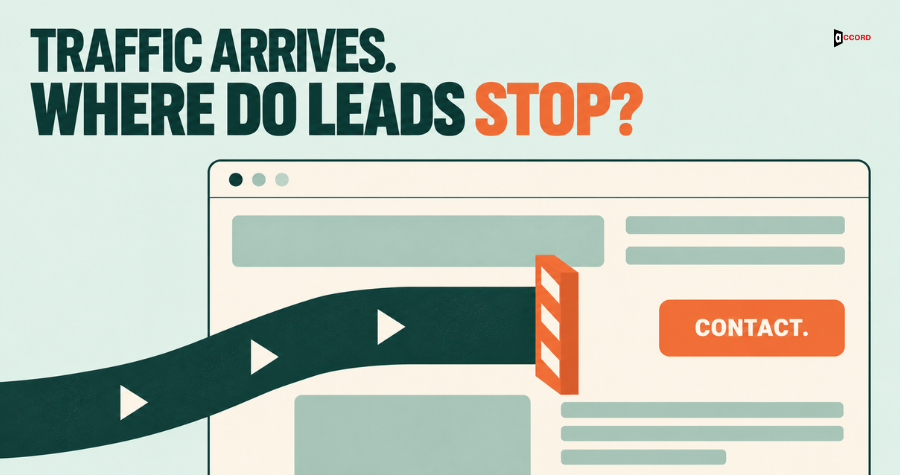
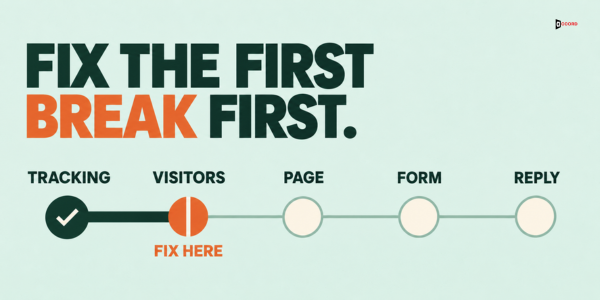
When a B2B website gets traffic but no leads, check five things in this order: whether you can see your leads at all, whether the visitors are buyers, whether the page gives a clear next step, whether the form actually works, and whether a person replies quickly. Fix the earliest break first. A later fix cannot help if an earlier step is broken: a better button does nothing when the visitors are not buyers. The checks need no new tools: about one afternoon, a phone, your analytics account and your last 20 inquiries.
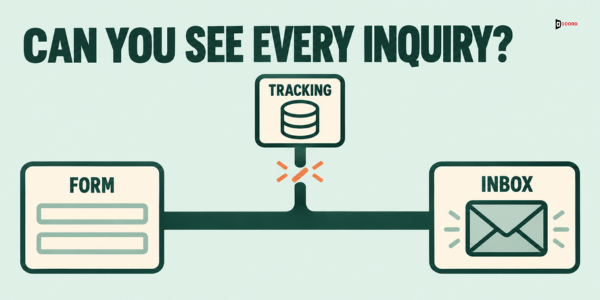
Check 1: Can you actually see your leads?
Start with measurement, because a site can generate inquiries that no report shows. In Google Analytics 4, a form submission or a booking click only appears as a conversion if you have marked it as a key event, which is the name GA4 now uses for conversions (how to mark events as key events).
Spend an hour on four tests:
- Submit your own form. Use a test name, then open the Realtime report in GA4. Did a form event appear within a minute?
- Check the key events list. Confirm that your lead form's submission, booking-link clicks, completed bookings, phone-number taps and email-link clicks are each recorded as a separate event and marked as a key event. Do not treat every form_submit as an inquiry: a newsletter box or a search form on the same site can send the same event name. Mark only the specific lead form, for example with its own event such as generate_lead, or by checking the form ID in the event. Keep the booking-link click and the completed booking apart too: a click shows interest, and only the booking confirmation shows a booked meeting.
- Check the inbox. Did the notification reach a real inbox, not a shared address nobody opens?
- Check the CRM. Does the new record store where the person came from, such as the first page they visited and the campaign link they used?
To mark an event, open Admin in GA4, go to Events and switch on "Mark as key event" beside the event name. If your form event is missing from the list, submit the form once and check again after a day. A standard embedded form can record the form_start and form_submit events through GA4's automatic form tracking, but custom and third-party forms often need a developer or a tag manager to send them. Ask for both events, because the gap between form starts and form submissions is the clearest sign of a form problem. Automatic form tracking can fire for any form on a page, so ask the developer to send the lead form's events separately, with a form ID or name you can filter on.
If any of these fail, you do not yet know whether you have a traffic problem or a measurement problem. Fix the measurement first. A report that says "zero conversions" is sometimes true and sometimes just a missing setting.
Check 2: Are the visitors the buyers you want?
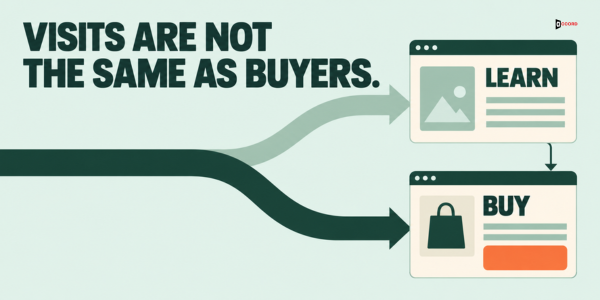
Traffic is a count of visits, not a count of buyers. Open the landing page report and sort the pages by visits. Then split the top 20 pages into two groups:
- Buyer pages: service pages, comparison pages, pricing or process pages, and pages about a problem a buyer pays to solve.
- Reader pages: news posts, trend roundups, general explainers and anything people read to learn a topic without a plan to buy.
Reader pages are not bad. They build awareness and can earn links. Their visitors came to learn, so measuring them against inquiries makes the site look broken when those pages were never meant to convert. Count the visits to buyer pages separately. That count is the traffic most relevant to direct inquiries. Reader pages can still lead to an inquiry later, so keep them in view, but judge the inquiry rate against the buyer-page count.
To do the split, open Reports, then Engagement, then Landing page in GA4, set the date range to the last 90 days and export the table to a spreadsheet. Add a column called "type," and mark each of the 20 rows as buyer or reader by hand. It takes about ten minutes, and it replaces a vague feeling that traffic is "not converting" with two counts you can compare.
If the source report shows referrals from AI tools, open the pages those visitors land on and check that the first screen answers the question each page is about. A visitor sent from an answer should not have to hunt for it.
Two more filters help. First, check the country report. If your market is the United States and a large share of visits comes from countries you do not serve, the traffic number is flattering you. Second, check the source report. A spike from a single referral or a social post can lift the total without bringing buyers.
Check 3: Does the page give one clear next step?
Open your three busiest buyer pages on a phone and give each one 10 seconds. Then answer five questions:
- Who is this for? A visitor should see the role or company type in the first screen.
- What problem does it solve? The page should name the problem in the buyer's words, before it describes your method.
- What is the proof? Use evidence a reader can check: a named process, a scope of work, a sample deliverable or a result you can document. Never use invented testimonials or numbers.
- What is the one next step? Pick one primary action per page. Two or three competing buttons split attention.
- What happens after the click? Say it near the button, for example "You choose a time. A person from our team replies within one business day."
Compare two first screens for an imaginary payroll product. The weak one says, "We deliver solutions for modern businesses." The clear one says, "Payroll software for companies with 50 to 500 employees. Book a 30-minute demo." The second names the buyer, the product and the step. Button text carries more weight than its size suggests. "Submit" tells the reader nothing. "Book a 30-minute working session" tells the reader what they get. For a fuller page-by-page list, use our B2B website conversion checklist.
Check 4: What happens when someone fills in the form?
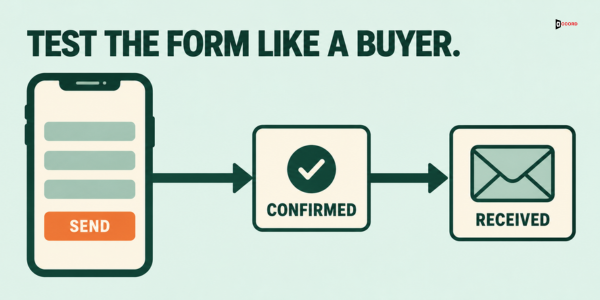
Fill in your own contact form on a phone, using mobile data, and watch every step. Then review these points:
- Fields. Ask only for what you need to reply: name, work email, company and one short question. Each extra field gives a busy buyer another reason to stop.
- Errors. Enter a normal work email and a normal phone number. Does the form reject anything valid?
- Spam filters. Does a real submission land in a spam folder or get blocked by a filter?
- Confirmation. Does the page after the click say what happens next? Does an email confirm the request?
- Routing. Does the message go to a named person, with a backup for holidays?
- Record. Does the CRM create a contact with a source?
Form problems can stay hidden for months because nobody tests the form as a buyer would. A form that works on a laptop can fail on a phone. A form that passed a test last year can break after a plugin update. Put the test on the calendar, for example on the first Monday of each month, with one named person.
Check 5: Does a person reply fast enough?
Pull your last 20 inquiries and note two times for each: when the form was submitted and when a person first replied. An automatic message does not count. Then read the list.
You are looking for three patterns. The first is a long gap overall, such as a typical wait of a full day or more. The second is a gap that only appears at certain times, such as evenings, Fridays or holidays. The third is no reply at all for some inquiries. Any of these tells you that the problem sits after the form, and no change to the page will fix it.
Choose a reply time you can keep, name the person who owns it and write down a backup. If your team cannot reply the same day, say so on the page: "We reply within one business day." A promise you keep builds more trust than a fast promise you break. Our guide to B2B landing pages that convert qualified inquiries covers how to set the right expectation on the page itself.
How do you write a first screen a buyer can act on?
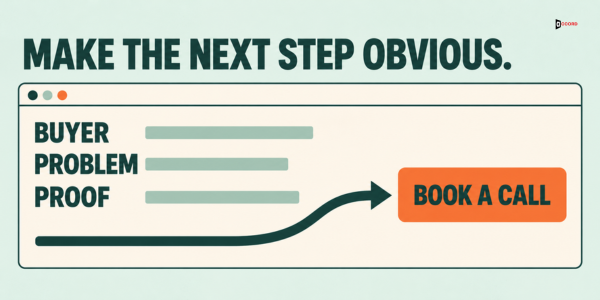
The first screen of a buyer page has four jobs, and each one fits in one line: name the buyer, name the problem, show one piece of proof, and offer one step. Write the four lines on paper before you touch the design.
- Buyer: "For operations leaders at logistics firms with 50 to 500 staff."
- Problem: "Your carrier invoices do not match your contracts, and nobody has time to check them."
- Proof: something a reader can verify, such as a short description of the method, a sample report with the names removed, or a result you can document with the client's permission.
- Step: "Book a 30-minute working session" with one line below it saying what happens next.
Those four example lines are invented for a fictional audit service. Use your own buyer and your own problem, in the words customers use on calls, not the words your team uses in meetings. If you do not know those words, read five recent call notes or inquiry emails and copy the phrases that repeat. Then test the page the same way as before: five seconds on a phone, then ask someone outside your company what the page offers and who it is for. If they cannot answer both questions, rewrite the first screen before you change anything else.
What if your traffic is too low for the numbers to mean anything?
Many B2B sites receive a few hundred buyer-page visits a month, and at that size a percentage can swing wildly from one month to the next. Do not wait for more data. Switch from counting to reading.
- Read every inquiry. Copy the last 20 into a sheet and tag each one by the page it came from, the question it asked and whether it became a meeting.
- Ask one extra question on the first call. "What almost stopped you from contacting us?" gives you objections no analytics tool can show.
- Watch five visits. If you use a session recording tool, watch five sessions on your busiest buyer page and note where people stop scrolling or hesitate on the form.
- Ask a new customer to describe the search. Ask what they typed or asked before they found you. The answer shows the real entry point.
Twenty well-read inquiries tell you more than a chart built on 300 visits. Keep a short note of what you learn, and change one thing per month.
Which check should you fix first?
Match what you see to the first check that fails:
| What you see | Likely break | Fix first |
|---|---|---|
| GA4 shows no key events, but inquiries arrive by email | Check 1: tracking | Mark the lead form, the completed booking and the click events as separate key events |
| Most visits go to reader pages or countries you do not serve | Check 2: wrong visitors | Measure buyer pages separately, and build links from reader pages to buyer pages |
| Buyer pages get visits but few clicks on the main button | Check 3: unclear next step | Rewrite the first screen and the button text |
| People start the form but few submit it, or your test fails | Check 4: broken form | Cut fields, fix errors and the confirmation page |
| Inquiries arrive but few turn into meetings | Check 5: slow reply | Set a reply time, name an owner and a backup |
If two checks fail, fix the earlier one first. If all five pass and inquiries are still low, check three things before you think about design. First, the offer: the visitors may be early in their search, and a smaller first offer, such as a short checklist or a working session, may suit them better. Second, buyer intent: check that the visitors who arrive are the buyers you want, with a real need for what you sell. Third, trust: check that the page gives a buyer enough to believe you, such as proof a reader can check and a clear scope. Consider a redesign only if those checks point to a design problem, such as a layout that hides the next step or pages that are hard to use on a phone. Our comparison of website redesign versus conversion rate optimization helps you decide.
How do you run the whole diagnosis in one afternoon?
- Hour 1: Check 1. Submit the form, read the key events list, check the inbox and the CRM record.
- 30 minutes: Check 2. Sort the top 20 pages into buyer pages and reader pages and count the visits to buyer pages.
- 30 minutes: Check 3. Read the three busiest buyer pages on a phone using the five questions.
- 30 minutes: Check 4. Fill in the form on mobile data and write down every failure.
- 30 minutes: Check 5. List the last 20 inquiries with their reply times.
Write the results in one table with a column for each check and a line for what you will change first. Fix one item, wait a full month, and count again. Changing five things at once leaves you unable to tell which one worked, and it hides the one fix that was doing most of the work. If the month is too short to show a change because your volume is low, extend the wait to a second month before you judge the result.
What should you track after the fix?
Keep four numbers on one sheet, and update them on the first Monday of each month:
- Visits to buyer pages. This is the denominator for everything else.
- Clicks on the main button, or taps on the phone number. This shows whether the first screen works.
- Lead form submissions as a share of starts of that same form. This shows whether the form works. It needs a form-start event, so add one if you have none.
- Median time to a first human reply. This shows whether the follow-up works. A lower number is better.
Read the four numbers from left to right. A drop in the first number means a traffic or visitor problem. A drop in the second means a page problem. A drop in the third means a form problem. A rise in the fourth, the median reply time, means a follow-up problem, because replies are getting slower; a fall means replies are getting faster. The order mirrors checks two to five, so the sheet tells you which check to rerun.
Imagine: the payroll reseller with a busy blog
Imagine a payroll software reseller whose website gets 3,000 visits a month. The figures in this example are invented to show the method. The owner is unhappy about 12 inquiries and concludes that the site converts poorly.
The afternoon diagnosis tells a different story. Check 1 shows that form submissions are tracked correctly. Check 2 shows that 2,400 of the 3,000 visits go to blog posts about tax-law updates, which readers love and buyers rarely act on. Only 600 visits go to buyer pages. Twelve inquiries from 600 buyer-page visits is the number to improve, not twelve from 3,000. Check 3 shows that the busiest buyer page has three buttons with three different labels. Check 4 shows that the form asks for eleven fields and shows a blank page after the click.
The owner changes one thing first, the earliest break the checks found: a short link from each popular blog post to the one buyer page that matches its topic. Nothing else changes, and next month the owner counts again. If buyer-page visits rise but few visitors click the main button, the next month's change is the button, labelled with what the visitor gets. If people then start the form but few submit it, the month after that the form is cut to four fields, with a confirmation page that says what happens next. Nothing is redesigned, and each month's count shows which change helped.
Frequently asked questions
Why does my B2B website get traffic but no leads?
The usual causes are tracking that hides the leads, visitors who are readers instead of buyers, a page with no clear next step, a form that fails or a slow reply. Check them in that order, and fix the earliest break first.
How much traffic does a B2B site need before conversion rates mean anything?
There is no fixed number. With only a few hundred visits to buyer pages each month, rates swing widely from one month to the next. At that level, read every inquiry and test the form by hand instead of relying on a percentage.
Do I need a new website to get more inquiries?
Usually not as a first step. Check tracking, visitors, the first screen, the form and the reply time before you commit to a redesign. If all five are sound and inquiries remain low, check the offer, buyer intent and trust before you look at design, and consider a redesign only if the problem turns out to be design.
Should I use a phone number or a form?
Offer the option your team can answer quickly. A phone number that rings unanswered does more harm than a form with a reliable reply. Whichever you choose, track the taps or submissions as key events so you can count them.
Next step
If you would like a second pair of eyes on your five checks, book a 30-minute working session with the Accord team: book a 30-minute working session. Bring your last 20 inquiries with their reply times, and use the time to choose the first break to fix.