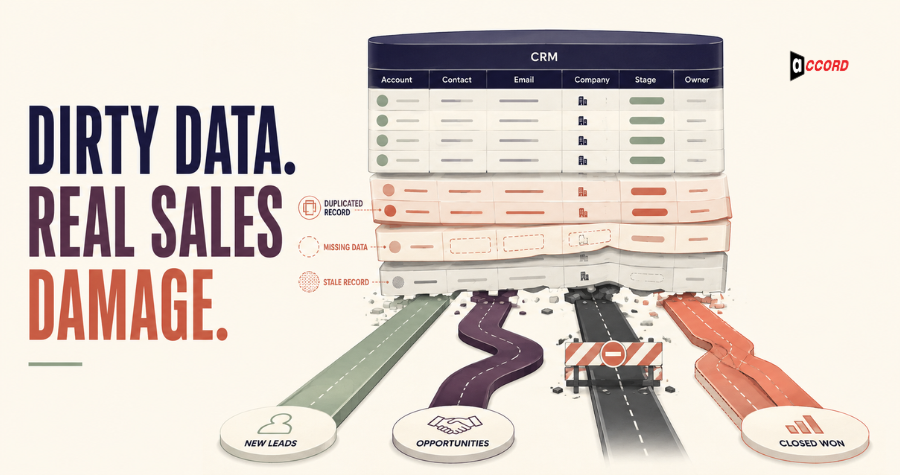
Quick answer: Dirty CRM data costs sales teams through wasted research, missed routing, duplicate outreach, weak segmentation, unreliable reporting, and avoidable customer frustration. The fix is not a one-time spreadsheet cleanup. It requires clear field standards, controlled imports, deduplication, enrichment, ownership, and continuous monitoring inside the revenue workflow.
The most damaging CRM problems rarely announce themselves as a data crisis. They appear as small, normal frustrations.
A representative calls a prospect who left the company months ago. Two team members contact the same account with different messages. A territory report shows the wrong region because country values use six different formats. Marketing sends an enterprise offer to a ten-person company. Leadership sees a full pipeline, but many records are duplicates or impossible to contact.
Each incident looks manageable. Together, they create a hidden operating tax across sales, marketing, customer success, finance, and leadership.
The issue is not simply that some cells are blank. CRM data becomes “dirty” when it is inaccurate, incomplete, duplicated, inconsistent, stale, untraceable, or structured in a way that prevents the business from using it safely. A perfectly spelled value can still be wrong. A complete record can still be irrelevant. A current contact can still be routed to the wrong owner.
This guide explains where the cost appears and how to build a practical data-quality system around real revenue work.
What counts as dirty CRM data?
Dirty CRM data is any customer, account, or activity information that cannot reliably support the decision or workflow assigned to it. Common examples include duplicate accounts, outdated contacts, invalid emails, inconsistent industries, missing owners, conflicting lifecycle stages, malformed fields, and values with no source or update date.
Data quality is contextual. A record may be sufficient for a newsletter but inadequate for territory planning. A broad employee band may support segmentation, while exact legal entity information may be necessary for contracting. Define quality in relation to business use.
The core dimensions are:
- Accuracy: Does the value reflect reality?
- Completeness: Are the fields required for the process present?
- Consistency: Do systems use the same definitions and formats?
- Timeliness: Is the information recent enough for the decision?
- Uniqueness: Is one real entity represented once?
- Traceability: Can the team see where and when the value was obtained?
- Relevance: Does the record belong in this workflow at all?
Cost 1: Sales representatives become unpaid data cleaners
When CRM records are unreliable, salespeople spend selling time searching, correcting, comparing, and second-guessing. The cost includes not only the minutes spent on a record but also the context switching that breaks prospecting and follow-up rhythm.
Reps may search professional profiles to confirm employment, open several tools to find a working address, repair the account name, and ask operations who owns the territory. Some will update the CRM carefully. Others will keep trusted information in a private spreadsheet because the system feels unsafe. That creates a second data problem: the official system becomes even less complete.
Measure how often representatives must correct core fields before an activity. Add a simple correction reason or data-quality flag. Repeated complaints are not resistance to CRM; they are evidence about the workflow.
Cost 2: Leads go to the wrong person—or nowhere
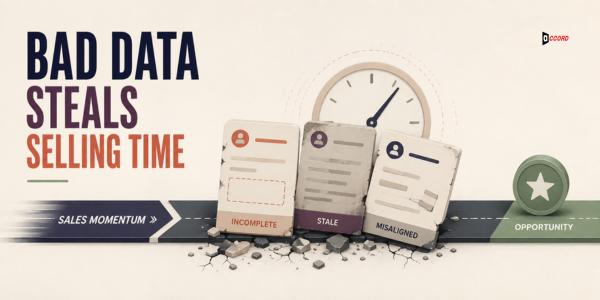
Incomplete and inconsistent fields can break routing logic, leaving high-intent leads unassigned or sending them to the wrong team. Territory, company size, product interest, account ownership, and lifecycle values often control automated assignment. Small data variations can therefore create large response delays.
Examples include “United States,” “USA,” “U.S.,” and a blank country passing through different rules. A subsidiary may be created as a new account instead of attached to the global parent. A form value may not match the CRM picklist, so automation fails silently.
Audit routing with test records and monitor exceptions. Every unassigned lead should enter a visible queue with an owner and response expectation. Fix the field definition and integration logic, not just the individual record.
Cost 3: Duplicate outreach damages trust
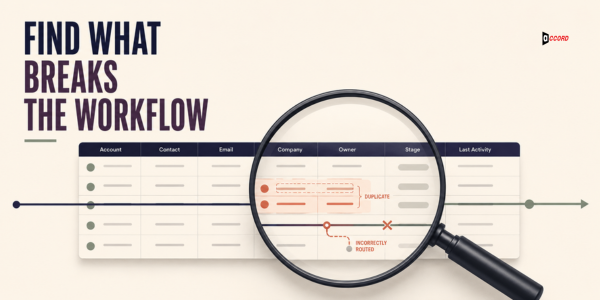
Duplicate records cause conflicting messages, repeated calls, fragmented history, and inaccurate frequency controls. The recipient experiences one company, even when your CRM treats the same person or account as several unrelated entries.
Duplicates arise from manual entry, form submissions, event imports, list purchases, domain variations, subsidiaries, and integrations that use different match keys. Exact matching catches only easy cases. “Acme, Inc.” and “Acme US” may be the same business; two people with the same name may not be.
Use layered matching rules based on normalized domain, verified email, company identity, address, phone, and other appropriate fields. Review ambiguous merges rather than automating every decision. Preserve activity history and clearly define the surviving master record.
Cost 4: Segmentation and personalization become unreliable
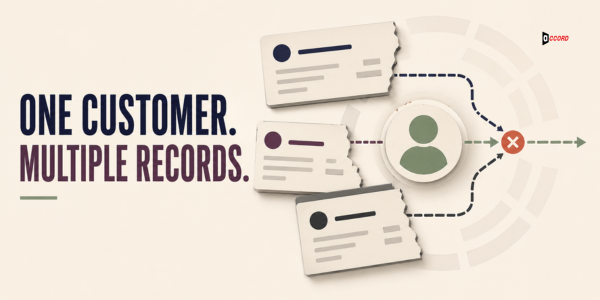
Campaign targeting fails when industry, seniority, company size, technology, or lifecycle data is missing or inconsistent. Marketing either excludes potentially relevant accounts or sends broad messages that do not reflect the recipient’s context.
The problem can hide inside apparently complete fields. If half the database uses “Information Technology,” another group uses “Software,” and imports add “SaaS,” a simple industry filter may misrepresent the audience. Job titles create similar fragmentation unless teams map them to normalized functions and seniority.
Keep the raw source value when useful, then maintain a governed normalized value for workflow. That preserves evidence while giving campaigns consistent categories.
Cost 5: Forecasts and dashboards lose credibility
CRM reporting cannot be more trustworthy than the definitions and records underneath it. Duplicated opportunities, stale stages, inconsistent close dates, missing sources, and overwritten values can make pipeline and attribution reports look precise while telling the wrong story.
When leaders stop trusting a dashboard, they often create manual reports. Those reports consume more time and introduce additional definitions. Different teams then debate whose spreadsheet is correct instead of discussing the business decision.
Data cleanup should begin with the reports that matter. Identify which fields drive the number, how each field is populated, who can change it, and what evidence supports the value. A field that influences forecasting deserves stronger governance than a note used only for convenience.
Cost 6: Automation multiplies the error
Automation scales CRM data quality in both directions: clean inputs improve execution, while bad inputs trigger more wrong actions faster. An incorrect lifecycle stage can start the wrong nurture sequence. A missing customer flag can place an active client into prospecting. A malformed first name can appear in hundreds of messages.
AI adds another layer. Models can summarize, classify, and recommend actions, but confident output from poor or ambiguous CRM inputs remains poor operational evidence. Do not connect automated decisions to ungoverned fields without validation and exception handling.
Before enabling a workflow, test complete, incomplete, conflicting, duplicate, and suppressed records. Define what the system should do when confidence is low. “Stop and review” is often better than making every record pass.
Cost 7: Customer experience becomes fragmented
Dirty CRM data makes customers repeat information and receive communication that ignores their real relationship with the company. Sales may not see a support issue. Customer success may not see a recent expansion conversation. Marketing may address the wrong person or promote a product the account already uses.
This is more than inconvenience. It signals that the business does not recognize the customer. A unified view does not require putting every possible detail into one record, but it does require agreed identities, lifecycle definitions, ownership, and synchronization among systems.
Map the moments when teams hand an account to one another. Those transitions reveal which fields must be reliable and which systems should remain the source of truth.
How to audit CRM data without boiling the ocean
A useful CRM audit starts with one revenue-critical workflow, profiles the fields it depends on, and measures defects against explicit rules. Do not begin by trying to clean every historical field. Focus first on data that affects active sales, routing, communication, compliance, and reporting.
Use this five-step audit:
- Choose the workflow. For example, inbound lead routing or outbound account activation.
- Map required fields. Identify the values, definitions, and systems involved.
- Profile a representative sample. Check missing, invalid, inconsistent, duplicate, and stale data.
- Trace causes. Locate the form, import, integration, manual habit, or rule creating each defect.
- Prioritize by business risk. Repair issues that affect customers and active revenue first.
Record both the defect rate and its consequence. A rarely used missing field may matter less than a small ownership error that causes high-intent leads to wait.
Build a responsible CRM cleanup process
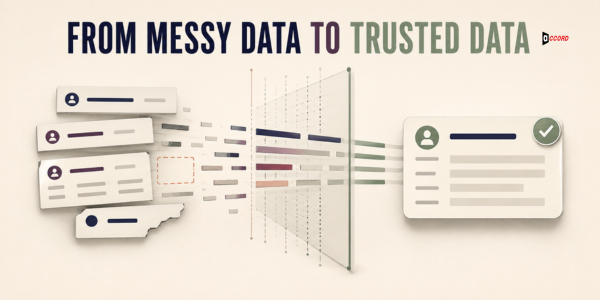
CRM cleanup should protect trusted history while standardizing, enriching, and merging records through documented rules. Back up or export appropriate data, define the scope, test changes in a safe environment where possible, and create a review path for ambiguous records.
A practical sequence is:
Define the standard
Create a data dictionary describing field purpose, allowed format, source, owner, refresh expectation, and downstream use. Mark required fields by lifecycle stage instead of requiring everything at first contact.
Normalize values
Standardize domains, company names, countries, states, industries, phone formats, departments, seniority, and lifecycle values. Preserve raw source data where it helps auditing.
Deduplicate carefully
Use exact and fuzzy matching rules, then review uncertain pairs. Define parent-subsidiary treatment and preserve activity, consent, suppression, and ownership history during a merge.
Enrich only what supports a decision
Add missing firmographic, contact, role, or signal data based on business need. Enrichment providers can disagree, so retain source and date. Never overwrite a trusted first-party value automatically without a clear rule.
Validate and test
Re-run profiles, check critical reports, test routing and automation, and ask end users to verify a sample. Confirm that cleanup did not break integrations or remove legitimate exceptions.
Prevent the data from becoming dirty again
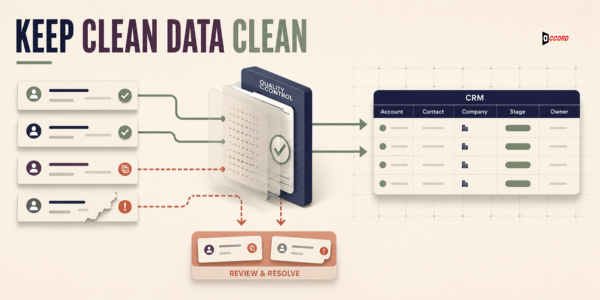
Sustainable data quality depends on controls at the point of entry and clear ownership after the cleanup. If forms, imports, integrations, and user permissions continue creating the same defects, the CRM will return to its previous state.
Preventive controls may include:
- Standard field types and governed picklists.
- Required values at the correct lifecycle stage.
- Duplicate checks before record creation.
- Import templates with validation rules.
- Integration monitoring and exception queues.
- Source and last-verified fields.
- Permission limits for sensitive or structural fields.
- Scheduled data-quality dashboards.
- Clear owners for definitions and remediation.
Make correction easy for users. A quick “report data issue” action is more likely to capture problems than a long operations ticket.
How Accord Tech Solutions supports CRM data quality
Accord Tech Solutions connects CRM data enrichment and optimization to the sales actions the data must support. The work can include contact prospecting, data validation, normalization, enrichment, account research, segmentation fields, duplicate review, and delivery structured for the client’s workflow.
The aim is not to make every record look complete. It is to improve the reliability of the fields that drive targeting, routing, personalization, and reporting. We distinguish verified facts from estimates and inferences, record useful source context, and use human review where automated matching is uncertain.
Explore our lead generation and CRM data services to see how research, validation, and enrichment can support a more usable pipeline. The right engagement depends on your platform, data volume, source systems, workflow, and risk.
Frequently asked questions
What is CRM data enrichment?
CRM data enrichment adds or updates useful information about existing accounts and contacts, such as firmographics, roles, verified contact details, technologies, or relevant signals. The fields should support a defined business decision, carry source and recency context, and follow the CRM’s data standards.
How often should CRM data be cleaned?
Critical data should be monitored continuously, with review frequency based on how quickly each field changes and how much risk it carries. Contact employment may require frequent checking, while stable account identifiers change less often. Use thresholds and alerts instead of relying only on an annual cleanup.
Can CRM deduplication be fully automated?
Exact duplicates can often be handled with strong rules, but ambiguous matches require human review. Parent companies, subsidiaries, franchises, shared domains, personal emails, and similar names can make automated merging risky. Preserve history, suppression, ownership, and relationships when consolidating records.
Which CRM fields should be required?
Require fields that are necessary for the current lifecycle action, compliance need, routing rule, or critical report. Requiring too much too early encourages placeholder values. Progressive data collection usually creates better records than making every field mandatory at initial entry.
Is a data provider’s enrichment always accurate?
No. Providers use different sources, models, update cycles, and definitions. Compare important values, retain source and observation dates, protect trusted first-party data, and route uncertain conflicts for review. Enrichment is an input to governance, not a replacement for it.
Turn CRM trust into sales capacity
Dirty data is not just an operations inconvenience. It changes who sales contacts, how quickly leads receive attention, what customers experience, and whether leadership can trust the pipeline. Cleaning it creates value only when the business also repairs the rules and sources that created the defects.
Start with one important workflow. Define what trustworthy data means for that workflow, fix the highest-risk records, and build controls that keep new data within the standard. Over time, the CRM can become a system teams work from instead of a database they work around.
If your team needs help assessing, enriching, and structuring B2B records for real sales use, contact Accord Tech Solutions to discuss the current data environment and priority workflow.
Methodology and sources
This article is based on Accord Tech Solutions’ documented lead research and CRM data-enrichment positioning. It uses process guidance rather than unsupported performance claims. References include the Accord Tech Solutions Lead Generation service and Salesforce Trailhead guidance on data quality.
Last reviewed: August 13, 2026.