
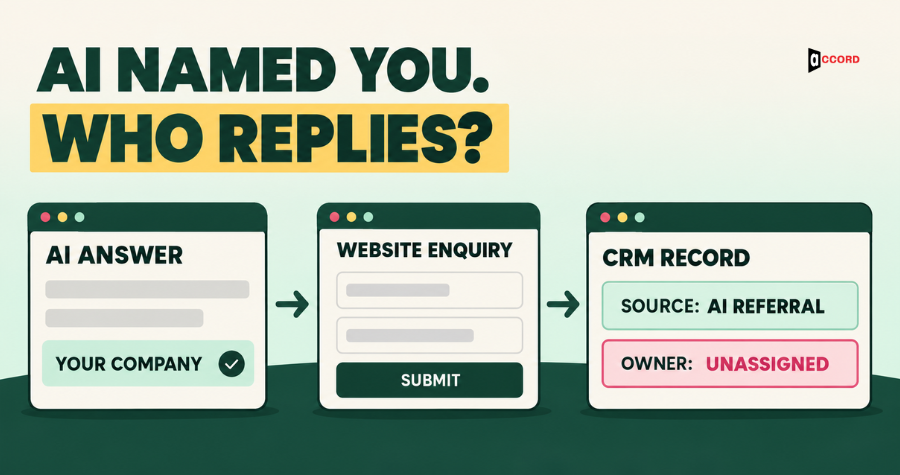
An AI tool can recommend your company, and the next enquiry can still arrive without a clear owner. When a buyer clicks through and submits a form, your team needs enough context to reply usefully and a routing rule that assigns responsibility. This guide covers CRM routing for inbound leads from AI search, three first-call questions, outbound follow-up after AI referral and the next steps a cited page should make clear. It is written for sales and operations leads who need to connect a recommendation to a workable sales process, using the CRM they already have.
What happens to a lead when an AI tool recommends your company?
A buyer who clicks a link inside an AI answer arrives as a website visitor. That visit becomes a sales lead when the buyer submits an enquiry or identifies themselves through another agreed contact step. Depending on the tracking setup, the visit may appear in analytics as an AI referral, another referral or direct traffic. Missing source information is an attribution gap; it does not automatically mean the enquiry was lost. A separate problem occurs when a form submission fails to reach the CRM or reaches it without an owner.
The first job is to preserve the source information that is available. Capture the incoming referrer and any source parameters on the landing URL, group recognised AI sources consistently in analytics, and map the relevant values into the CRM when an enquiry is submitted. Analytics classification alone does not populate a CRM field. The form or integration must carry those values across, subject to your consent and tracking settings. Keep the landing page and the page where the form was submitted as separate fields when they differ. These pages provide context for the reply, but they do not reveal the buyer's exact question or prove which claims they read.
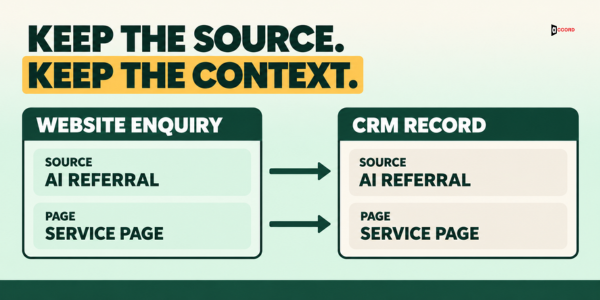
Use a consistent field set: Enquiry source for the tracked source category; Source detail for the captured referrer or source parameter; Buyer-reported source for the visitor's own answer; Landing page and Enquiry page for page context; Buyer question and AI answer context for the first-call notes; and Owner plus Next action for responsibility and the follow-up due time. Choose equivalent names in your CRM, but map them once and use them consistently.
When source data is missing, retain the actual analytics value or mark the enquiry source unknown. Keep a buyer-reported AI source separate from the tracked source, and never relabel all direct traffic as AI. Preserve first-touch acquisition information and log later enquiries as separate interactions. A person who only visits anonymously should not be turned into an identified CRM contact through an assumed identity.
Clean records matter here as well. Match a new enquiry to an existing contact using a reliable identifier such as email, and match the company using a verified domain or another approved account identifier. Normalise company names before comparison; do not merge or route records solely because a job title or industry label matches. Send ambiguous matches to a reviewer. Our guide on CRM enrichment before a sales campaign explains how to tidy those fields before they start to affect routing.
Who should own a lead that came from an AI-referred visit?
Ownership should follow the buyer and the existing account relationship, not the traffic source alone. The source describes how the visit arrived; the account, fit and stage determine who should respond. Use the lead routing rules below as a starting point, then map each owner role to a named person and backup in your CRM. A queue is a holding location, not a substitute for ownership.
| Lead situation | How the record is set up | Owner | First action |
|---|---|---|---|
| AI-referred enquiry, existing account | Match contact and account; log AI referral without replacing original source | Existing account owner; named backup | Review account history and the submitted enquiry |
| AI-referred enquiry, new company, fits the profile | Create lead; retain source and page fields; apply segment rule | Named inbound owner for the segment | Reply to the enquiry; set a follow-up task |
| AI-referred enquiry, outside or unclear fit | Create lead; retain context; flag for review | Named inbound reviewer; named backup | Qualify or close within the agreed response window |
| Enquiry with missing or direct source data | Retain direct or unknown as recorded; keep self-reported source separate | Named segment owner; reviewer if no match | Use standard qualification; ask how the buyer found you |
| Reply to an outbound message using an AI-led angle | Keep sequence record and angle; match to any existing account | Sequence owner; coordinate with account owner | Stop automation; log reply and next action |
Two rules make this table work. First, if account and segment rules cannot assign an enquiry, a named reviewer owns the exception. Set a response target your team can meet, with a defined rule for submissions outside working hours. Second, a referral should not reset an existing relationship. Keep the account owner on an existing customer record and log the AI referral as a new interaction. Preserve the original acquisition source separately from this latest enquiry source.
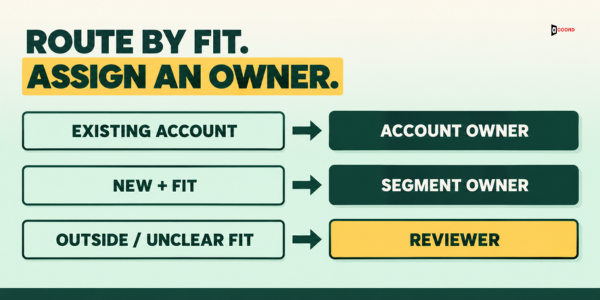
Write the table down in one shared document and link it from the CRM settings page, so a new team member can find it without asking. Record the primary owner, backup and response target for each route. Review assignments whenever the team changes, and check for inactive owners, failed integrations and overdue enquiries. Test a submission for each route and confirm that the record, assignment and notification reach the intended person.
After a form submission, the integration should create or update the contact, check the account match, retain the available source and page fields, and apply the ownership rules. Notify the assigned owner and create a next-action task with a due time. If account matching or assignment fails, give the record to the named reviewer instead of leaving it unassigned. A failed CRM write also needs a recoverable submission log or retry path so the team can resolve it.
The first reply should address the enquiry the buyer submitted and use the relevant page as supporting context. Ask what they were trying to solve rather than claiming to know their search. If the company falls outside your profile, the reviewer can qualify further, suggest a suitable alternative or close the enquiry politely. Record the decision and next action so another team member can continue the conversation.
If you already score leads, retain the referral source as context and use it as a scoring input only under a documented rule. A visit from an AI tool does not prove fit or urgency. The approach in a B2B lead scoring model sales teams can trust is relevant here: account fit, the stated problem and meaningful engagement should determine priority. Do not increase a score automatically just because the source is an AI tool.
What should the first call ask?
When a buyer says an AI answer helped them find you, the first call should establish what they were trying to solve and whether the recommendation matches what you offer. Ask them to describe the answer; source tracking does not reveal the conversation they had with the tool. Three questions give the salesperson a useful starting point.
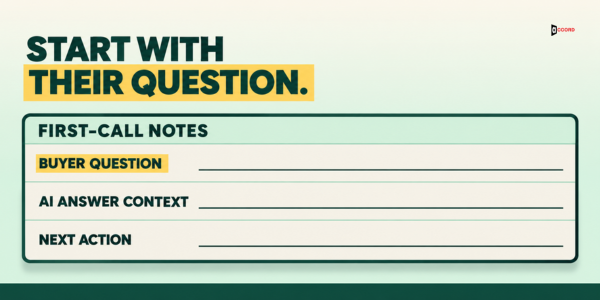
- What were you trying to find out when you asked? Record the buyer's wording in Buyer question rather than replacing it with a marketing label. Their answer clarifies the problem behind the enquiry and lets you check whether the page they reached addresses it.
- What did the answer say about us, and what did it leave out? Ask the buyer to describe the recommendation in their own words or share it if they wish. Record the relevant claim in AI answer context, clarify anything inaccurate and distinguish what the buyer reported from what your team has independently checked.
- What would have to be true for a working session to be worth your time? Use this question to understand the buyer's decision criteria, timeline and the people who need to be involved. Agree on a useful next step rather than assuming they are ready to buy.
Save the first two answers in Buyer question and AI answer context. Record the decision criteria and agreed follow-up in Next action, with an owner and due time. If the buyer cannot recall the answer, leave that context unknown rather than filling it with an assumption. The next person who speaks with the buyer can then continue from the recorded conversation.
Keep the call short. The goal is to understand the question and agree on a next step, not to deliver a full presentation. If the buyer wants more detail, offer the relevant section of the page and a time for a follow-up, and let them decide when to continue.
How do I turn an AI answer into an outbound angle?
Buyer questions discussed during enquiries, shared voluntarily by buyers or tested by your team can inform outbound research. A question you test yourself suggests an angle; it is not evidence that a particular prospect asked it. Keep those research notes separate from verified account signals and from the prospect's own statements. Use the resulting angle only where it relates to the account's needs and your approved prospecting process.
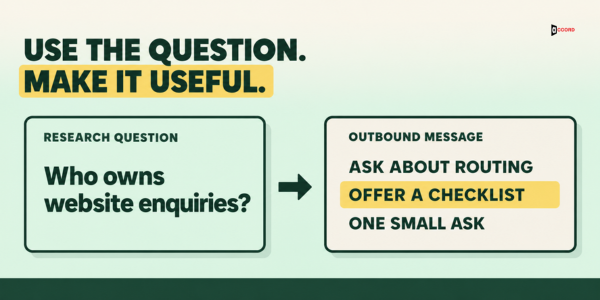
Start with a relevant question, such as "how should we route inbound leads when some come from AI tools?" Identify the operational problem behind it, the role responsible for fixing it and a situation where it could matter. Record the research question and angle in the outbound record. If a buyer originally shared the wording with you, generalise it before using it elsewhere and keep their identifiable conversation details private.
Next, write a short message that asks about the process and offers one useful observation. A sample opening is: "How does your team assign website enquiries when the source is unclear? One useful check is whether the form carries the source and page into the CRM alongside a named owner. Would a short routing checklist be useful?" Adapt the wording to the recipient's role and relevant, verified account context. Do not claim that they used an AI tool, searched a particular question or were recommended by one.
Keep the sequence small and relevant. Give each step a purpose: an initial process question, a useful checklist or an agreed next step. Follow the account owner's instructions for existing relationships, and coordinate with any active inbound conversation before starting another sequence. Stop automated follow-ups when the recipient replies, books a meeting or opts out, and record the outcome. For a broader method of signal-led prospecting, read our post on signal-based lead generation.
Sending rules still apply. Configure SPF, DKIM and DMARC for your sending setup, use accurate sender details, monitor complaints and make it easy to stop receiving messages. Follow Google's sender guidelines and your provider's requirements for the relevant message type and volume. Google publishes sender guidelines for bulk email that are worth reading before a campaign goes out. Authentication supports legitimate sending; it does not guarantee inbox placement or make an unsolicited message welcome.
Keep outbound prospecting and newsletter enrolment in separate workflows. A form enquiry or an AI referral is not, by itself, permission to add someone to a newsletter. Use your newsletter opt-in process for that list, and preserve unsubscribe and do-not-contact preferences across both systems. Calling a message one-to-one does not remove applicable commercial-email requirements. Operational separation helps the team manage ownership, permission records and follow-up without sending conflicting messages.
What should a cited page make easy to do next?
A cited page may be the buyer's first detailed view of your company. It should explain the offer and make the next step easy to find, while letting the visitor decide whether to enquire. Being cited does not mean every visitor is ready for a sales call.
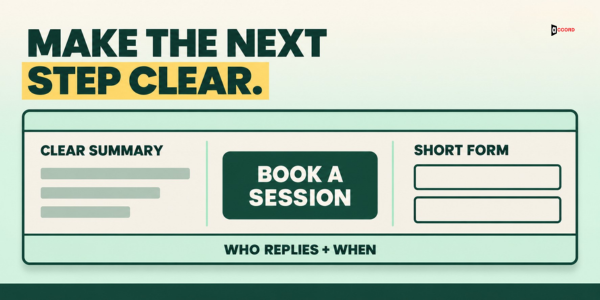
Start with a short summary near the top. State what the company does, who it serves and which problem the page addresses, in plain and specific language. Keep descriptions accurate and consistent with the offer. If a buyer reports an inaccurate AI claim, clarify it during the conversation and check whether ambiguous or outdated wording on the cited page needs correction. Updating your page does not guarantee that an AI tool will immediately change its answer.
Place one clear next step near the summary, such as a 30-minute working session with the Accord team, and repeat it at the end of the page. Ask for the contact details needed to respond and one short description of the problem. A separate, optional "How did you hear about us?" field can capture a buyer-reported AI source when tracking is incomplete. Collect the source and page context through the integration; keep detailed first-call questions for the conversation. Explain which team replies and give a response window that matches your operating hours and routing rules.
Name Accord Tech Solutions in full where the page identifies the company, and keep the offer, audience and service description consistent across the relevant pages. Review the cited page after changes to your offer and tell the sales team what changed. Update routing notes if the page now serves a different segment or next step. Link to a relevant supporting page the team already uses, so visitors can get more detail before choosing whether to book.
What are the common mistakes with these leads?
- Treating every AI referral as a hot lead without checking fit against the profile.
- Overwriting a known source with direct traffic, or labelling an unknown source as AI without supporting information.
- Sending a generic reply that ignores the enquiry and the relevant page context.
- Sending an existing customer's referral into the new-lead queue.
- Writing a cold email that claims to know what the buyer searched for.
- Adding outbound prospects to the marketing newsletter list.
- Ending the first call without recording the buyer's question and the agreed next action in the CRM.
- Changing a cited page without telling the sales team what changed.
These are practical issues to check in CRM fields, integrations and ownership rules. Review unassigned and overdue enquiries, exception decisions and failed submissions each month. Retest the affected routes after a form, integration, page or team change; changing a setting alone does not confirm that the full handoff works.
What else do buyers ask about AI referral leads?
Should I stop outbound if an AI tool already recommends us?
No. An AI recommendation does not replace an approved outbound programme for suitable accounts. Coordinate outreach with account ownership and active inbound conversations. The recommendation is context, not permission to send or evidence that every target account is interested.
Do I need special software to route AI referral leads?
Not necessarily. Use your existing CRM if it supports the required fields, account matching and assignment rules, either natively or through the form integration. Check that source and page values reach the record, exceptions receive a named owner and failed submissions can be recovered. A written routing table still needs a tested implementation.
Should a cold email mention that an AI tool recommended us?
Avoid implying that you know the recipient used an AI tool or saw a recommendation. Ask about a relevant business process instead. If an inbound buyer tells you what an AI answer said, you can discuss that statement within the existing conversation and record their reported context.
What if the AI answer described us incorrectly?
Ask the buyer what they read, clarify the specific point and check whether the page needs correction. Log the buyer-reported claim separately from the accurate explanation so the team can see both. Review outdated or ambiguous page wording, while recognising that you cannot directly control when the tool updates its answer.
If your team is receiving AI referral leads and the routing is still unclear, a 30-minute working session with the Accord team is a practical place to start. Bring your current CRM fields, routing rules and the pages linked to recent enquiries. Use anonymised examples where needed. The session will focus on the source-to-record handoff, ownership, first-call questions and the outbound angle that fits your segment.