
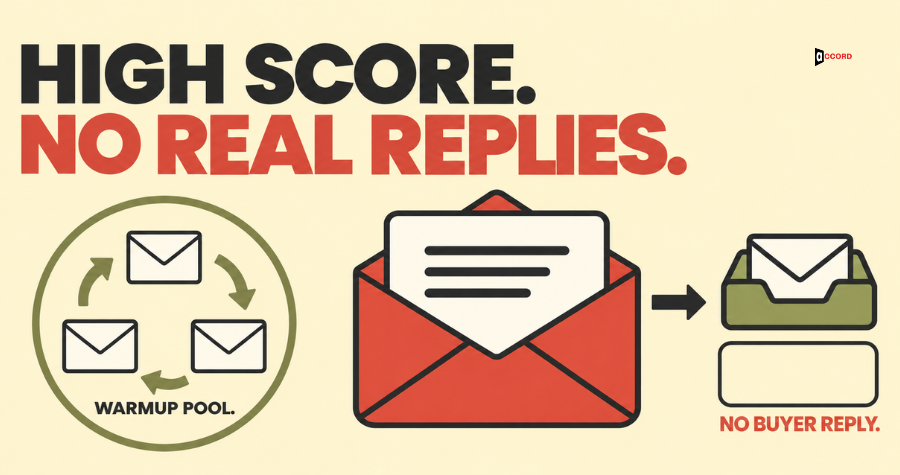
Does email warmup work? It works for one narrow job: it helps a new mailbox raise its sending volume slowly, so that Gmail and Outlook see a calm pattern and not a sudden burst. It does not decide whether real buyers reply. The warmup score in your dashboard describes how warmup emails behaved inside the tool's own group of mailboxes, so it says very little about your cold emails. When the score is high and replies are near zero, check where your real emails land first, then your bounces and complaints, then who you send to and what you say. This guide explains the score, gives a simple placement test you can run today, and lists the numbers to watch instead.
What is email warmup, in plain words?
Email warmup means sending a small number of emails from a new mailbox and raising the number slowly over several weeks. Gmail, Outlook and other mailbox providers keep a record of how each sender behaves. That record is called sender reputation. A new mailbox has no record, and a sudden burst of cold email from an unknown sender looks like the pattern spammers use.
Google gives the same general advice in its email sender guidelines. Start with a low sending volume to engaged users, increase the volume slowly over time, and send at a steady rate instead of in bursts. Google writes this for people who already want your mail, so it is a general pattern and not a schedule for cold outreach. The idea of a gentle ramp-up still carries over, and you can do it by hand.
Warmup tools add a second idea. A tool connects your mailbox to a pool of other mailboxes that belong to other customers of the same tool. The tool then sends emails between them, opens them, moves any that landed in spam back to the inbox, and sends replies. Instantly's help center describes its warmup emails as copies of natural conversation between accounts in its pool. Smartlead's help article describes the same method and lists sending, opening, saving from spam and replying as the actions it simulates. The hope is that these friendly actions look like healthy engagement to Gmail and Outlook.
Accord sells outbound and email services, so we have an interest in this topic. This guide does not rank any tool. It reports what each vendor's own pages say, and it labels every vendor figure as a vendor view.
Does email warmup work, and where does it help?
The honest answer has two parts. Warmup helps with pacing. It does not help with the things that make people reply.
Pacing is a real problem. Some teams buy a domain on Monday, create five mailboxes and send hundreds of emails on Tuesday. A warmup tool forces a slower start. The waiting time is useful, because it gives you days to check your setup and keeps the first real sends small.
Warmup cannot fix a list of the wrong people, a weak message or an offer that does not fit. It cannot repair a missing or broken email setup. It cannot remove a domain from a blocklist, which is a list that mail servers use to refuse mail from senders they distrust. Smartlead's own guide says warmup has no effect while a blocklist is flagging your domain.
There is also a question about the method itself. The same Smartlead guide says modern spam filters have become better at spotting simulated warmup behavior. Mailivery, another vendor, says cheap tools with small, recycled pools produce engagement that providers detect and discount. Both are vendors with something to sell, and neither shows data. Nobody outside the mailbox providers knows how much weight they give to warmup traffic.
So, as a slow-start habit, warmup is reasonable. As proof that your cold email will reach buyers, or as a way to get replies, it is not.
What does a warmup score actually measure?
Each vendor builds its own score and defines it differently. A 95 in one tool and a 95 in another do not mean the same thing.
Instantly publishes the clearest definition. Its help article says the health score is the share of your recent warmup emails that reached the inbox and not the spam folder, counted over the last seven days. The article gives an example: 70 warmup emails in seven days with 3 in spam gives a score of about 95.7%. The same article says the score reflects warmup placement and does not measure campaign placement.
Smartlead's guide gives bands for its score. It calls 80 and above healthy, 60 to 80 acceptable with close monitoring, and below 60 a sign that something is wrong. The guide does not explain how the number is calculated, and Smartlead's help article on how warmup works does not mention a score at all. Other tools call their number a reputation score or a deliverability score. In the pages checked for this guide, none explained its inputs well enough to let you verify it.
Put plainly, the score answers one question: how did the tool's own emails do inside the tool's own pool? Instantly's article also says the system moves warmup emails from spam to the inbox. That helps the tool's numbers, but your real emails get no such help.
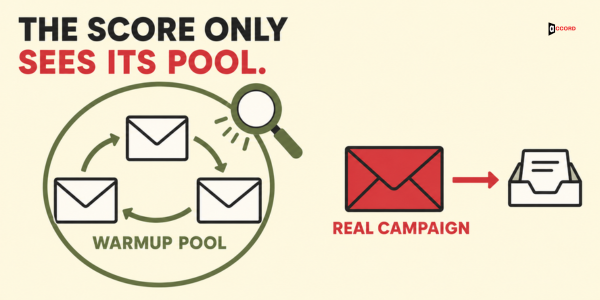
If you use a warmup tool, find the help page that defines its score. Write down what the number counts, over what period, and on which mail. If no page says, treat the number as a rough activity light and not as a measurement.
Why can a high score sit next to zero replies?
There are four gaps between the warmup score and a reply from a real buyer.
The readers are different. Pool mailboxes open and reply by design. A real buyer needs a reason to open and a reason to answer, and the tool cannot supply either one.
The mail is different. The tool writes the warmup messages, and they pitch nothing. Your cold email has an offer, a signature, a link and maybe a tracking pixel. Mailbox providers judge the mail that arrives, so the two kinds of mail can land in different places.
The score does not see your list or your complaints. It cannot tell that 8% of your addresses are dead, that half of your contacts hold the wrong job title, or that three people marked your email as spam yesterday. Those facts can move your real reputation. They do not move the score.
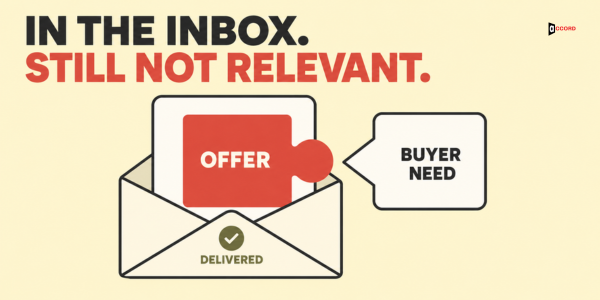
Opens are a weak signal. Many tools show an open rate, and warmup tools often show a high one. Google says in its sender guidelines that it does not track open rates, and that low open rates are not necessarily an accurate sign of a delivery problem.
What do Google and Microsoft say about fake engagement?
On 20 October 2026 the pages checked for this guide were Google's email sender guidelines, its sender FAQ, its Postmaster Tools help page and its Gmail sender page, plus Microsoft's sender policies page for Outlook.com. Postmaster Tools is Google's free dashboard that shows a sender's spam rate. None of these pages mentions warmup tools, automated opens or automated replies. They do not allow these tools, and they do not ban them. So nobody can say from those pages that warmup is safe, or that it is risky.
What the pages do say is useful. Google says its spam rate comes from reports by users, and that senders should keep it below 0.10% and never reach 0.30% or more. That is Google's own measure for mail delivered to Gmail inboxes. It is not the same as the complaint count in your sending tool, so do not compare the two directly. Google also says user spam reports can lower a domain's reputation over time, and that Gmail tracks volume and feedback for each domain and address. Microsoft says that senders above 5,000 emails a day to Outlook.com accounts must meet its rules for email setup, and that mail from those who do not will go to the junk folder and may later be rejected. The common thread is real recipients and real behavior.
What can decide whether a buyer replies?
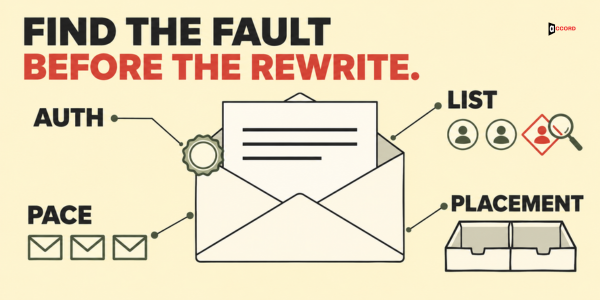
Six things can decide it. A warmup score touches only two of them: volume and pace, and a little of where mail lands.
Who you send to. A message to the right person at the right company has a chance. The same message to a wrong title has almost none. A wrong or stale list is a likely cause of low replies, and it is one of the cheapest to test. The live guide on the CRM data quality checklist shows how to check a random sample of 100 records before you send.
What you say. Say who you are, why you wrote to this person, and what small next step you suggest. A long pitch with three links can read as bulk mail to both the person and the filter. Even a well-written email fails when the buyer does not have the problem now, so two or three silent batches from a well-checked list can point to the offer.
Email setup. Three settings prove that mail really comes from your domain. SPF lists the servers allowed to send for you. DKIM adds a signature that shows the message was not changed. DMARC tells the receiver what to do when the first two fail. You add all three as records in the place where your domain is managed (your DNS). Google asks every sender for SPF or DKIM, and asks senders above 5,000 emails a day to Gmail for all three, as its guidelines explain.
Volume and pace. Sudden jumps and bursts look like bulk mail. A steady, modest rate looks like a person.
Spam complaints. Each report from a recipient counts against you. Emails to the wrong person and missing opt-outs are likely sources.
Real inbox placement. Inbox placement means where the message lands: the inbox, which in Gmail includes tabs such as Promotions, or the spam folder. Only a test on real mail can show it, and the next section shows one.
For the whole system in one place, read our guide to the cold email deliverability system for 2026. The long checklist, with its own warm-up section, is the B2B email deliverability checklist. This post stays on one question: why replies stay low when the warmup score is high.
How can you test real inbox placement yourself?
You do not need a paid tool for a first look. You need a few email accounts that the warmup tool does not control. This test is a small sample, so it can show a problem but cannot prove that all your mail lands well.
First, collect test inboxes. Use a personal Gmail address and a free Outlook.com address. If a friendly colleague or partner can help, add an address on Google Workspace and one on Microsoft 365. Many companies run their email on those two systems, so they tell you more than free accounts do. None of these addresses should be in your warmup pool or in your contact list.
Second, send real mail. Send from the mailbox you plan to use, with the same sending tool, the same signature, the same kind of link and the same length as your real cold email. Do not send a warmup message. Change the first name and company so the text reads like a real email.
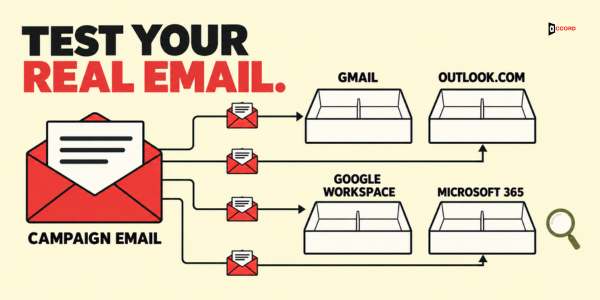
Third, look in every folder. Wait ten minutes and check the main inbox, the Promotions tab in Gmail, the spam or junk folder and the Other tab in Outlook. Write down where each message landed. Keep two results apart. Promotions is a tab inside the Gmail inbox, and Gmail sorts mail into tabs automatically. The person can still see a message there, though it may get less attention. The spam or junk folder is different. Mail there is filtered out of the inbox, and many people never look.
Fourth, read the setup result. In Gmail, open the message, choose More next to Reply, and select Show original. Google's help page describes these steps. Third-party guides say the top of that view shows a pass or fail result for SPF, DKIM and DMARC. A fail means the setup needs fixing before anything else.
Fifth, repeat on another day. One result can be luck, so run the test again with a second message.
Now read the result. If a test copy lands in the spam or junk folder, fix the setup, the volume and the message before you send more. If copies land in Promotions, treat that as a lighter warning: the mail is delivered, but check the message for heavy formatting, extra links and tracking. If every copy reaches the main inbox, this small test did not find a placement problem. That is not proof that placement is fine, because your test accounts have no history with your sender, and your buyers do. Either way, go on to the bounce and complaint checks below.
Postmaster Tools become useful once your volume is high enough. Google notes that its data can be missing when your daily volume is too low.
Which numbers should you track instead of the score?
Track results that real buyers create. A batch is a group of emails sent in the same week with the same list source and the same message. Keep batches separate, because mixing them hides the cause. A bounce is a message that could not be delivered, and a hard bounce is a permanent failure such as an address that does not exist. A complaint is a recipient pressing the spam button.
Two words need one meaning throughout this guide. Sent means every email your tool sent in the batch. Delivered means sent minus bounces. Reply rate, positive reply rate and complaints use delivered emails as the base, because a bounced email never had a chance to get a reply. Bounce rate and meetings per 100 contacts use sent emails. Each starting point is our proposal unless it names a source. Change the numbers to fit your market and write down why.
| What to track | How to count it | Starting point |
|---|---|---|
| Reply rate by batch | Replies divided by delivered emails, times 100 | No outside benchmark. Compare each batch with your own last batch |
| Positive reply rate | Replies that show interest, divided by delivered emails, times 100 | Same: your own last batch |
| Bounce rate | Hard bounces divided by sent emails, times 100 | Pause and fix the list above 2% (our proposal; Google and Microsoft publish no bounce limit) |
| Complaints | Spam reports divided by delivered emails, times 100, from your junk-report data | Watch your own trend. Google's 0.10% and 0.30% lines belong to the spam rate in Postmaster Tools, a different measure |
| Meetings per 100 contacts | Meetings booked divided by contacts emailed, times 100 | Your own baseline; this is the number that matters most |
Many sending tools do not show complaints, so use Postmaster Tools for Gmail and Microsoft's free junk-report program for Outlook when your volume allows.
Keep the warmup score only as a light for one question: is my warmup tool still running?
In what order should you check when the score is high and replies are low?
Work from the cheapest check to the most work. Stop when you find a clear fault, fix it, and send a fresh small batch before you move on.
First, run the placement test. It takes about 20 minutes. If a test copy lands in spam, do step two next. If every copy reaches the inbox, you may skip step two when the Show original view already showed a pass for SPF, DKIM and DMARC. Do not skip step three in either case.
Second, check the email setup. Confirm that SPF, DKIM and DMARC pass in the Show original view. A failure here beats everything else.
Third, always check bounces and complaints from the last batch. A good placement result does not remove this step, because a list full of dead or wrong addresses can hurt your reputation even when test copies reach the inbox. If bounces are above your limit, the list is the likely problem. If complaints are rising, or Postmaster Tools shows a spam rate near Google's 0.10% line, the list or the message is a likely cause, and you should slow down.
Fourth, check volume and pace. Look at how many emails each mailbox sent per day over the last two weeks. A sudden jump, or bursts of many emails in a few minutes, can hurt placement. Spread the sends through the day and hold the rate steady.
Fifth, check the list. Pull a random sample of 100 records and ask whether each person is the right buyer. Count how many are not. If more than 10 of 100 are wrong, rebuild the list before you change the message. This 10 is our proposal.
Sixth, check the message and the offer. Read the email as the buyer would. Is the reason for writing clear in the first line? Is the ask small? Does the offer fit this buyer's problem this quarter? Change one thing at a time, and compare batches.
Do not start with the copy. A team can rewrite subject lines for three weeks while a large share of its list holds the wrong job title.
How long does a gentle ramp-up take?
Nobody has an agreed number, and the vendor figures differ a lot. Treat all of the following as vendor views, not rules.
Instantly's help article says to keep new accounts to 10 warmup emails a day and to wait at least two weeks before using them in campaigns. It also gives a readiness check of two weeks of warmup and a health score above 90%. Smartlead's guide says a brand-new domain needs three to four weeks, starting at 5 to 10 emails a day and reaching 150 to 200 a day by week four, and six to eight weeks for a domain with earlier problems. MailReach suggests no campaigns in the first 14 days and a limit under 100 emails a day per inbox for B2B cold outreach. GlockApps says warming up an address takes about a month.
Google gives no number of days. It only says to start low, grow slowly and stay steady.
As a starting point, and as our proposal only, plan about four weeks. Send 5 to 10 a day in week one, 10 to 20 in week two, 20 to 30 in week three and 30 to 40 in week four, per mailbox. Hold there. If you need more volume, add mailboxes before you raise the rate on one. Check bounces and complaints each week, and hold the volume if either goes above your limit.
One limit applies to all of this. Google's advice to start low and grow slowly is written about sending to engaged users, meaning people who already want your mail. Cold contacts have not asked for your email, and Google gives no cold-email schedule. Choosing well-matched contacts for the early batches is a sensible way to keep risk low, but that is our judgment and not Google's guidance.
Imagine: a 96 warmup score and 0.6 replies per 100 delivered emails
This example is invented, and the numbers are simple on purpose. Imagine a 12-person software company. Its three mailboxes show warmup scores between 96 and 98. The team sends a first batch of 500 emails to a list bought by job title.
In that batch, 22 emails bounce, which is 4.4% of the 500 sent, so 478 are delivered. The batch brings 3 replies, which is 0.6 per 100 delivered emails. One reply is positive. Two recipients report the email as spam, which is 0.4% of delivered emails by the team's own count. No meeting is booked. The score has not moved.
The team runs the placement test with a Gmail address, an Outlook.com address and two business addresses. All four messages reach the inbox. This small test finds no placement problem, though it cannot prove that none exists. The bounce rate is well above the team's 2% line, so the list is the next place to look. The team samples 100 records and finds 31 with the wrong job title or the wrong company size. It also finds that the offer, a free audit, has no clear link to the problems of the buyers on the list.
So the team throws out the bought list. It writes down who the buyer is, builds a new list of 300 verified contacts that match, and rewrites the email around one problem and one small question. In the second batch, 3 emails bounce, which is 1.0% of the 300 sent, so 297 are delivered. The batch brings 9 replies, which is 3.0 per 100 delivered emails. Four replies are positive, which is 1.3 per 100 delivered. There are no complaints. Two meetings are booked, which is 0.7 per 100 contacts emailed.
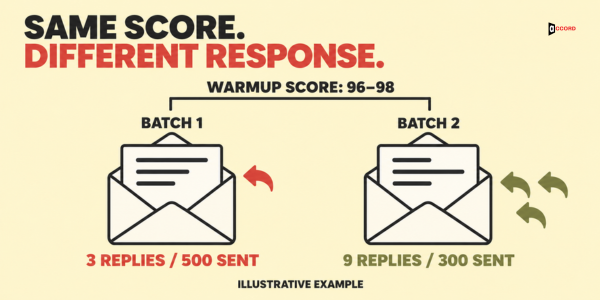
The warmup score stayed at 96 to 98 through both batches. The reply rate moved from 0.6 to 3.0 per 100 delivered emails because the list and the message changed, and the score predicted neither result.
Frequently asked questions
Does email warmup work for a new domain?
It helps you start slowly, which is good practice for any new domain. Pair it, or a manual ramp, with a correct email setup, a checked list and the placement test above.
Is there a good warmup score to aim for?
Each vendor uses its own scale. Smartlead's guide calls 80 and above healthy, and Instantly's readiness check uses a health score above 90%. These numbers describe warmup mail inside each tool, so they are not comparable and not a promise about your campaigns. Decide when to scale with your own placement test and your own reply numbers.
Can a warmup tool hurt my sending reputation?
The Google and Microsoft pages listed above do not say, so nobody outside those companies can answer with data. If you use a tool, keep your real sending small and steady, and judge the tool by your bounces, complaints and replies, not by its dashboard.
Should I turn the warmup off when I start real campaigns?
Tools differ, so read your vendor's documentation. Instantly's product page calls warmup an ongoing process and not a fixed countdown. Whatever you decide, check real placement and real numbers every week.
Next step
If replies are low and you cannot tell whether the cause is placement, the list or the message, book a 30-minute working session with the Accord team: book a 30-minute working session. Bring your last batch numbers and one sample email, and use the time to work through the order of checks together.