
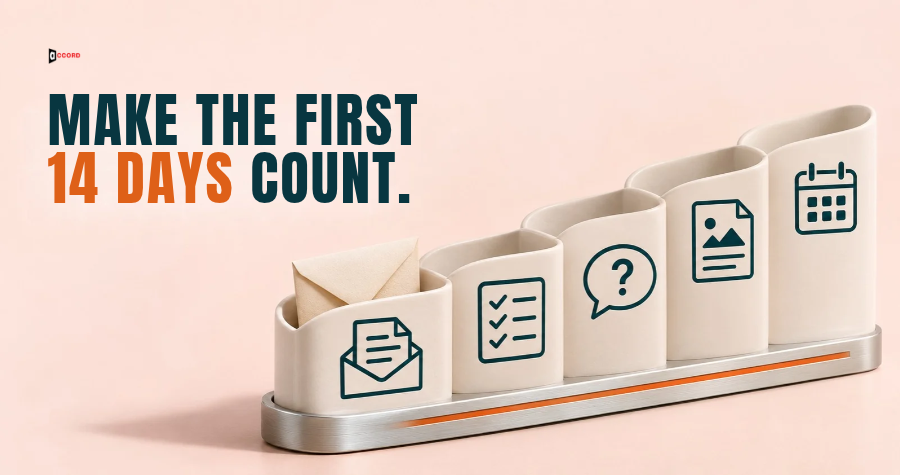
Someone fills in your sign-up form on a Tuesday. They get one "Thanks for subscribing" email, then nothing for three weeks, until your newsletter arrives and they cannot remember who you are. A B2B welcome email sequence closes that gap with a few short emails sent in a set order. Below is a plan for the first 14 days: five emails, each with one purpose, wording you can copy, a test and a rule that says when to stop sending.
The plan is for one case only: a new subscriber, meaning a person who gave a business email address on your form to get a guide, a newsletter or updates. The timings, word limits and tests are Accord's own starting points, not industry rules. The one outside source is the US Federal Trade Commission (FTC) guide to email law, linked where it appears.
Who is this welcome email sequence for?
Choose one reader before you write a word. This plan fits a person who asked to hear from you: the form promised a checklist, a newsletter or a report, and the person gave an address to get it. It does not fit three other groups. A cold prospect never asked for anything, so a "welcome" would be a made-up relationship. Our guide on cold email versus email marketing explains why the two audiences need separate lists and separate rules. A new trial user and a new customer each need a different job done with different data, so each needs its own plan.
Someone already in a cold email sequence or a live sales conversation should not enter either. A person on your team decides which path fits.
What should a B2B welcome email sequence do in 14 days?
In our view, the sequence has four jobs. It keeps the promise made on the form. It shows what the person will get and how often. It learns one thing about the reader. And it offers one next step. Everything else can wait for the regular newsletter.
Five rules apply to every email in the plan.
One ask per email. Each email asks the reader to do one thing, or nothing at all.
Short and plain. Each email runs 40 to 150 words from the greeting to the sign-off, and the five together run 200 to 750 words. The footer is not counted. Write plain text, like a note from a person.
A real sender. Send from a named person at a mailbox that can receive replies, because the plan depends on replies.
A footer in all five. Each email ends with the same four-line footer, shown under the Email 1 template: business name, postal address, a plain line that stops the emails, and a line that says the email is an ad.
A match with the form. The form should say what the person will receive, for example "your guide, then a short series of emails over two weeks".
Day numbers count from sign-up. Day 0 is the day the person joins, so the first 14 days are Day 0 to Day 13. Email 1 goes out within minutes on any day, weekends included. For Emails 2 to 5, a planned day that falls on a Saturday or Sunday moves to the following Monday. Count later gaps from the planned day, not the shifted day, and if two emails land on the same day, send the later one on the next weekday. A Day 13 email planned for a weekend goes out on Day 14 or 15, so the 14 days are the plan's length, not a hard limit.
What does the 14-day plan look like at a glance?
Here is the whole plan in one place. Each email has its own section after the table with copy you can paste.
| Day | Its one purpose | Passes if | The person leaves the sequence if | |
|---|---|---|---|---|
| 1. Delivery | Day 0, within minutes | Hand over what the form promised | The reader reaches the item in one click and knows what comes next | The email comes back undelivered |
| 2. First useful piece | Day 2 | Give one piece that solves one small problem | The reader can use it today without talking to anyone | A person replies |
| 3. One question | Day 5 | Learn the reader's main problem in their words | The reader can answer in one line | A person replies |
| 4. What we do | Day 9 | Say plainly what you do, for whom, and what you can show | A stranger could repeat what you do in one sentence | A person replies or asks for the sample |
| 5. One invitation | Day 13 | Offer one next step and an easy way out | There is one main ask and a clear "no action needed" path | The reader books, a person replies, or the sequence ends |
Two stop rules apply to every row: a person who asks to stop leaves the same day, and a person who joins a sales conversation leaves too. An automatic reply does not end the sequence (see the exit rules below). The gaps between sends are 2, 3, 4 and 4 days. In our view, short gaps at the start help the reader remember the sign-up, and longer gaps later leave room to reply. They are a starting point, not tested rules.
Email 1 on Day 0: how do you deliver what you promised?
Send this email within minutes of the sign-up, while the person remembers why they came. Its job is small: hand over the item and say what happens next.
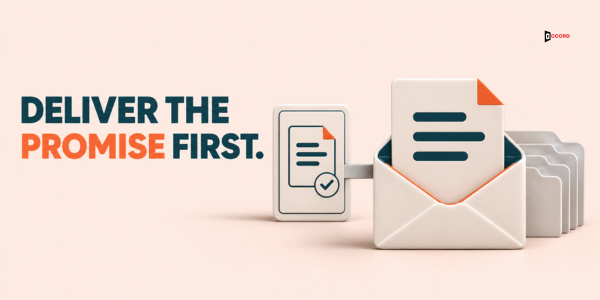
Here is the template. Square brackets show what you replace.
Subject: Your [name of the guide] is inside
Hi [first name],
Here is the [name of the guide] you asked for: [link].
Over the next two weeks I will send four more short emails: one useful piece, one question, a note on how [business name] works, and one invitation.
After that you will get [the newsletter, and how often].
If this is not what you wanted, the link at the bottom stops all emails from us.
[Your name, job title and business name]
[Footer]
The footer has four lines:
[Business name]
[Postal address]
[Link that stops all emails]
[Ad line, for example: This is a marketing email from (business name).]
The ad line is an example only. The FTC leaves the wording to you, so agree it with your legal adviser before you send.
Test. Could the reader get the item with one click, without scrolling past anything else? Does the email name exactly the four emails that follow? If either answer is no, fix it before you build the others, because every later email depends on this promise.
Stop rule. If the email comes back undelivered, remove the address from the sequence and from your list.
Email 2 on Day 2: what is the one piece worth reading first?
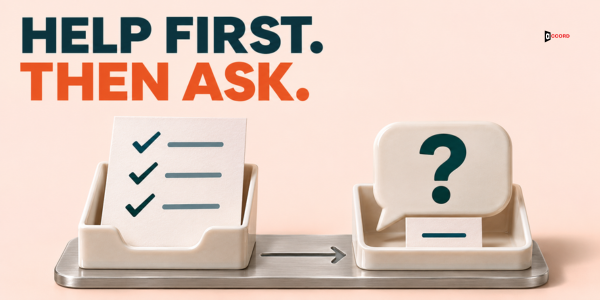
Choose one piece of your own content that solves one small problem fast: a short article, a checklist or a worked example. Pick the one a new reader would find useful on day one, not the one you are proudest of. One content link is enough. Five links turn a welcome email into a menu.
Subject: [Plain name of the piece]
Hi [first name],
A common first problem with [topic] is [one plain sentence describing the problem].
This [article, checklist or example] shows how to [result] in about [time it takes]: [link].
You can use it today without talking to anyone.
If it does not fit your situation, reply with one line and I will point you to a better one.
[Your name and job title]
[Footer]
Test. Can the reader use the piece today without talking to anyone? Is there one content link? Does the first line describe a real problem, in words your readers would use? If the piece needs a call or a demo to be useful, it belongs later in the plan.
Stop rule. A human reply leaves the sequence. A person answers it within one business day.
If you have no suitable piece. Write a short one before you launch. A half page of steps is enough.
Email 3 on Day 5: what one question should you ask?
This email asks the reader for one line about their main problem. The answers tell you what to write next.
Subject: One question about [topic]
Hi [first name],
You joined on [day] to get [name of the guide]. I have one question so I can send better emails.
What is the biggest [topic] problem on your desk right now?
One line is plenty.
[Your name and job title]
[Footer]
Put no content or sales link in this email, so the only possible action is to reply. The stop link in the footer stays.
Test. Can the reader answer in one line? Is it a single question? Is it free of any content or sales link, offer or meeting ask? If the question needs a paragraph to answer, shrink it.
Stop rule. A human reply leaves the sequence. A person on your team answers and records the problem in the CRM (the customer record system) as a short tag, such as "late supplier data".
If nobody replies. Do not send a second question. First run a quick troubleshooting check: send Email 1 to two test addresses at different email providers and look in the inbox and the spam folder. Two inboxes cannot show where the email lands for your whole list, but they can show an obvious problem. If the test email arrived, make the question more specific to your topic. Change one thing at a time, so you know which change helped.
Email 4 on Day 9: how does the reader learn what you do?
By Day 9 the reader has your item, a useful piece and a question, and may wonder who is behind the emails. Say what you do, for whom, and who you are not for, then offer one thing you can show.
Subject: What [business name] does, in plain words
Hi [first name],
You have had [the guide], [the piece] and my question. Here is what [business name] does.
We [what you do, in one sentence] for [the type of company you serve].
We are not the right fit for [one honest exclusion].
If you would like to see how it works, I can send [a sample, a one-page summary or a public page you can show].
Reply "send it" and I will send it today.
[Your name and job title]
[Footer]
The "not the right fit" line helps readers sort themselves, and in our view it makes the rest easier to believe. The ask, "reply send it", is a small request. It is not a meeting ask, which comes in Email 5.
Test. After reading it, could a stranger repeat in one sentence what you do? Can you show every claim within a day if someone asks? Do not name a client without permission, and do not quote a result unless you can say where it came from and what it measures. If you have no result to show, offer a sample. A sample is a fact, and a claim is a promise.
Stop rule. A human reply, including "send it", leaves the sequence. A person sends the sample from there.
If you do not know what to show. Use the problems from Email 3. If three people name the same problem, show the piece of your work closest to it.
Email 5 on Day 13: what is the one invitation to end with?
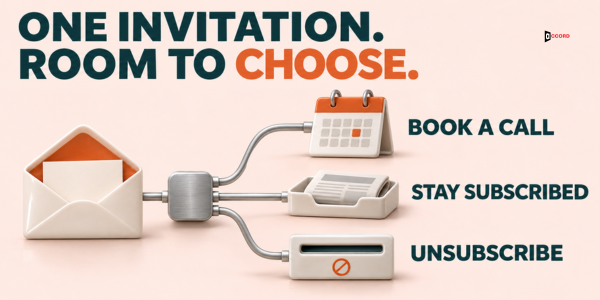
The last email tells the reader the series is over and gives three paths: book a short conversation, stay for the newsletter, or leave. Only one path has a main link, the booking link. The other two need no action.
Subject: What would help next?
Hi [first name],
That was the last of the welcome emails. From now on you will get [the newsletter, and how often].
If a short conversation would help with [the common problem from Email 3], you can pick a time here: [link].
If not, you do not need to do anything. If you would rather stop hearing from us, the link at the bottom ends all emails.
[Your name and job title]
[Footer]
The meeting ask now has its place, because the reader has had four emails before it.
Test. Is there one main ask and one main link (the footer stop link does not count)? Does the email say what happens if the reader does nothing? Are the three paths clear on the first read?
Stop rule. This email ends the sequence. A person who booked leaves for the sales path, and everyone else moves to the regular newsletter list. Quiet readers can stay on the newsletter, but send them no further sales email. Our guide to a B2B re-engagement email strategy covers what to do with them later.
Which rules stop the sequence early?
A welcome sequence is automatic, so it needs clear exits. Without them, the system keeps writing to someone who has already answered, left or become a customer. Our B2B email automation guide lists triggers, rules, exits and owners for any automation. For this plan, set these six exits.
- A request to stop. If the person clicks the stop link or replies "stop" or "no thanks", they leave the sequence and every other marketing list the same day.
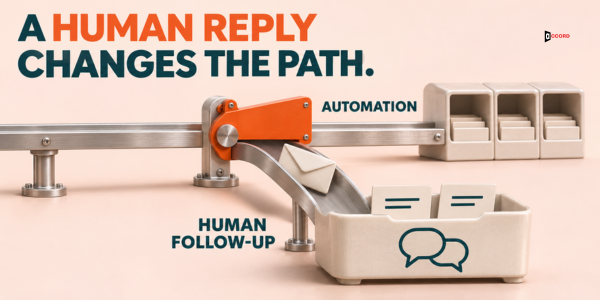
- A human reply. The person leaves, and a human answers within one business day and decides what comes next.
- A booked call, a started trial or a purchase. The person leaves for the matching path.
- An undelivered email. Remove the address.
- A spam complaint. If your email platform reports one, treat it like a request to stop.
- Already in another sequence. Do not enter a person who is in cold outreach or a live sales conversation.
Automatic replies are not human replies. An out-of-office message pauses the sequence: resume on the return date in the message, or after 7 days if it gives none (our starting point), and send the next email on the next weekday. Skip nothing, and do not count these replies. A message that says the person has left the company counts as an undelivered email. If your platform cannot tell a person from a machine, a person reads each reply within one business day and decides.
What does US law ask of these emails?
This part summarizes one law and is not legal advice. Canada, the UK and the EU have different rules, so check them before you send there.
The short checklist for each of the five emails, based on the FTC's CAN-SPAM compliance guide for commercial email in the United States:
- Accurate sender details in the From, To and Reply-To fields, and a subject line that matches the content.
- A valid postal address in the footer.
- A clear way to opt out, by reply email or one web page, that keeps working for at least 30 days after you send.
- A clear and visible sign that the email is an ad, in wording you choose.
- Each opt-out honored within 10 business days. We make it the same day.
The reasoning follows.
The guide defines a commercial message as one whose primary purpose is the advertisement or promotion of a product or service, and it says the law applies to business-to-business email. We opened the page on 1 November 2026. It shows a date of August 2023, with an edit in January 2024.
A message with only "transactional or relationship" content gets lighter rules. The FTC lists five kinds, such as confirming a transaction the person already agreed to. The guide reads the list narrowly: an existing relationship alone does not make a message transactional, and for a mixed message the primary purpose decides.
A welcome sequence that shares your content and invites a conversation does not fit those five kinds. Email 1 on its own may be a closer question, and that is a point for your legal adviser. Our starting point is simpler: treat all five emails as marketing email, with the full footer in each.
One more detail: if you offer a menu of choices, the menu must include the option to stop all marketing messages from you.
You may not charge a fee for an opt-out or ask for more than an email address. The page lists penalties of up to $53,088 for each email in violation, as read on 1 November 2026, and the amount may change.
How do you know whether the sequence is working?
Choose one counting rule and keep it. In this post, every rate has the same denominator: the number of people who received Email 1 (delivered emails, not sign-ups). Four counts are enough.
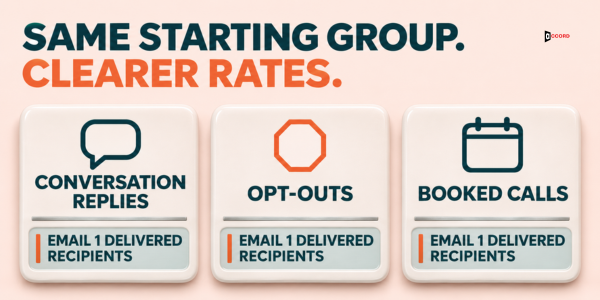
Conversation replies. Human replies that answer, ask or respond, divided by delivered Email 1 recipients. A request to stop and an automatic reply are not counted here.
People who left. Those who clicked the stop link plus those who replied asking to stop, divided by the same number.
Booked calls. All calls booked from any email or any reply, divided by the same number.
Reply themes. Not a rate. Write down the kind of problem each reply names, and count the themes after 20 replies.
This plan uses no open rate and no click benchmark. Some vendor pages quote very high open rates for welcome emails, but the ones we read did not show their sample, and software that loads images on its own distorts open counts. Treat clicks on the Day 2 link as a hint, since software may open links before a person does.
Small lists need care. With 58 delivered Email 1 recipients (60 sign-ups, 2 undelivered), one extra reply moves a rate by about 1.7 percentage points. Read the results after the first 50 delivered recipients have finished the 14 days, and compare themes before rates. Our guide to B2B email A/B testing covers testing with small numbers.
Imagine: one month of sign-ups at a small firm
Imagine a six-person firm called Quillmark Advisory that helps small manufacturers tidy their purchasing records. This example is invented, including every name and number. Quillmark offers a free one-page guide, "The 10-Minute Supplier Check", and a monthly newsletter. Here is its Email 3, filled in for a reader named Maria.
Subject: One question about supplier records
Hi Maria,
You joined on Tuesday to get The 10-Minute Supplier Check. I have one question so I can send better emails.
What is the biggest supplier records problem on your desk right now?
One line is plenty.
Jordan Blake, Partner, Quillmark Advisory
The email has 43 words from the greeting to the sign-off, inside the 40 to 150 range. It has one question, no content or sales link and no meeting ask.
In one month, 60 people sign up. Two emails come back undelivered because of typos, so Email 1 reaches 58 people. Every rate below uses 58 as the denominator.
Eight people send conversation replies: 6 answer the Day 5 question and 2 ask what Quillmark charges. That is 8 of 58, or 13.8%. Two out-of-office replies paused the sequence for a few days and are not counted. One more person asks to stop by reply, and 3 click the stop link, so 4 people left: 4 of 58, or 6.9%. Three people book a call: 1 after Jordan answered a reply, and 2 from the Day 13 email. That is 3 of 58, or 5.2%.
On Day 13, 46 people are still in the sequence, because 58 minus 9 who replied and minus 3 who clicked stop leaves 46. Two of those 46 booked from Email 5, which is 2 of 46, or 4.3%. Those 2 are included in the 3 booked calls above.
Of the 6 answers to the Day 5 question, 3 name price changes that nobody records, 2 name late deliveries that nobody tracks, and 1 names missing contact details. Quillmark picks the first theme for next month's Day 2 piece; with only 6 answers, this is a hint. These sample numbers are not a benchmark. One more conversation reply would make 9 of 58, or 15.5%.
Frequently asked questions
How many emails should a B2B welcome email sequence have?
This plan uses five, because each email has a different job: deliver, help, ask, explain and invite. Vendor pages we read suggest three to five emails and give no checkable evidence for one number. Start with five, and cut an email if its job overlaps another.
How soon should the first welcome email go out?
Send it within minutes of the sign-up. In our view, the person is still on your site and expects the item they asked for. A delay of a day or more may make the email feel unrelated to what they just did.
Can I add people to the sequence who only downloaded a guide?
It depends on what your form told them and on the law that applies to you. If the form says nothing about further emails, ask your legal adviser first. A clearer fix is to change the form so it says the person will also get a short series of emails over two weeks.
What should I do with the replies?
Answer each one yourself within one business day, take the person out of the sequence, and record the problem they named as a short tag. After 20 replies, count the tags. The most common theme is a good topic for your next newsletter issue.
What if a new subscriber is already a customer or in a sales conversation?
Keep them out. A rule in your email platform can check the CRM for open deals and customer status before the person enters.
Does a welcome email need an unsubscribe line in the United States?
Yes. The FTC's CAN-SPAM compliance guide requires a clear opt-out and a valid postal address in commercial email, with no exception for business-to-business email. Only messages limited to its five transactional or relationship kinds get lighter rules, and the guide reads those narrowly. Put the footer in all five emails, and ask your legal adviser about your own case.
Next step
If you would like a second pair of eyes on your own welcome emails, book a 30-minute working session with the Accord team. Bring your sign-up form and the welcome email you send today, and we will run the five tests together. There is no obligation, and you can use everything in this post without us. Accord sells outbound, email, lead-generation, SEO/AEO, web and social services, so we have an interest in this subject.